




AI coding assistants have changed how developers build software. Instead of manually writing every function, searching documentation, or debugging errors line by line, developers can now describe what they want and let AI generate, explain, and modify code.
But choosing the right tool is becoming increasingly difficult.
Some AI coding assistants offer unlimited code autocomplete but restrict AI agent requests. Others allow you to build entire features using natural language but charge credits for every complex task. A few are completely free to install but require your own API keys or locally hosted AI models.
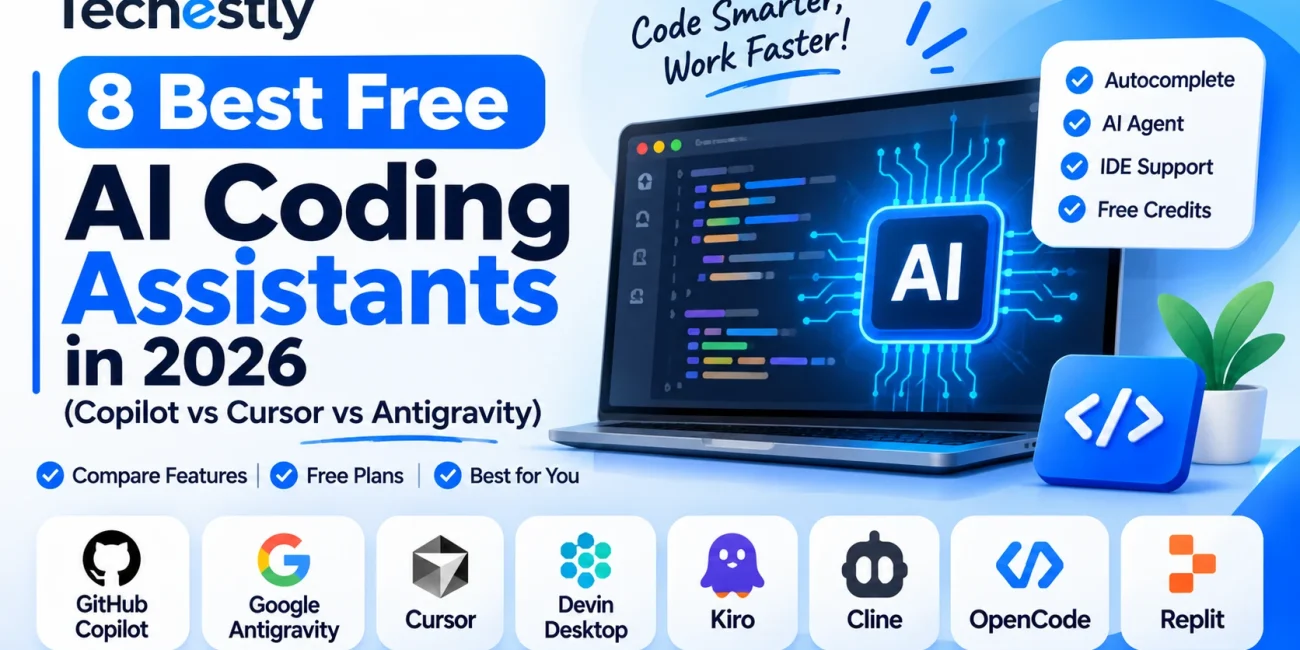
To help you choose, we compared eight of the best free AI coding assistants in 2026, including GitHub Copilot, Cursor, Google Antigravity, Devin Desktop, and Kiro.
We looked at their free plans, AI code completion, agentic coding capabilities, IDE compatibility, model access, and restrictions.
Our top recommendations:
- Best overall: GitHub Copilot Free
- Best free AI coding agent: Google Antigravity
- Best AI-powered code editor: Cursor
- Best alternative to Windsurf: Devin Desktop
- Best for structured development: Kiro
- Best open-source VS Code assistant: Cline
- Best open-source coding agent: OpenCode
- Best for non-technical founders: Replit
Free-plan information was checked on November 13, 2026, using official product pricing pages and documentation. Limits can change.
Quick Comparison: 8 Best Free AI Coding Assistants
| Tool | Free plan | Main free allowance | Best for |
|---|---|---|---|
| GitHub Copilot | Yes | 2,000 completions/month + limited AI credits | Everyday coding |
| Google Antigravity | Yes | Unlimited Tab completions and Command requests; weekly agent limits | Agentic coding |
| Cursor | Yes | Limited Agent and editor usage | AI-powered development |
| Devin Desktop (Windsurf) | Yes | Free SWE-1.7 model access and IDE | AI code editing |
| Kiro | Yes | 50 monthly credits | Structured development |
| Cline | Yes | Free extension; free models or local AI | Open-source agent coding |
| OpenCode | Yes | Free models and local model support | Flexible AI development |
| Replit | Yes | Free daily usage and one published project | Beginners and founders |
One important distinction: free software does not necessarily mean unlimited free AI model usage. Cline, for example, is free to install, but using a paid model through your own API key can generate separate charges.
1. GitHub Copilot – Best Free AI Coding Assistant Overall
GitHub Copilot is one of the most accessible AI coding assistants for developers who want AI help directly inside their existing coding environment.
Rather than forcing you to move to a completely different editor, Copilot integrates with popular development environments and suggests code as you type.
It can complete functions, explain unfamiliar code, generate tests, and help developers work through programming problems.
For beginners, this is particularly useful because they can ask questions about their existing code instead of constantly switching between their editor and a browser.
What does GitHub Copilot offer for free?
The Copilot Free plan includes:
- 2,000 inline code completions per month.
- Access to selected AI models through automatic model selection.
- Limited AI chat and agent usage through GitHub AI Credits.
- Copilot CLI.
- Access without requiring a credit card.
The 2,000-completion allowance is the most important restriction.
Once you reach the monthly completion allowance, you need to wait for the next monthly reset or upgrade your plan. AI chat and agent interactions also have separate credit restrictions.
Does GitHub Copilot support agentic coding?
Yes, but with limited usage on the free plan.
Copilot supports agent mode, which can inspect code, propose changes across files, and help validate implementations in supported environments.
However, regular code completion and autonomous agent work are different features. You should not expect unlimited autonomous development from Copilot Free.
Which IDEs does GitHub Copilot support?
Copilot supports:
- Visual Studio Code
- Visual Studio
- JetBrains IDEs
- Eclipse
- Xcode
Feature availability varies between IDEs.
Who should use GitHub Copilot?
Beginners, students, freelancers, and professional developers who already work with VS Code or another supported IDE.
Verdict: The best starting point for most developers because it offers useful autocomplete, code explanations, and limited agent capabilities without requiring a new editor.
Official references: Copilot Pricing | GitHub IDE Compatibility
2. Google Antigravity – Best Free AI Coding Agent
Google Antigravity is an agent-first development environment designed to help developers build software through natural-language instructions.
Unlike traditional autocomplete tools, Antigravity can work through larger development tasks. You can describe a feature, allow the agent to inspect your project, and review the changes it proposes.
Its biggest advantage is the free individual plan.
What does Google Antigravity offer for free?
According to its official pricing page:
- Unlimited Tab completions.
- Unlimited Command requests.
- Access to a selection of agent models.
- Basic weekly rate limits for agent usage.
- A dedicated AI-powered development environment.
The important limitation is the weekly agent allowance.
Google does not publish one fixed number of free agent requests for every user. Actual usage can depend on the available models and rate limits.
Can Antigravity build complete applications?
Antigravity is designed for agentic development rather than just suggesting individual lines of code.
You can give it tasks such as:
- Build a new application feature.
- Find and fix programming errors.
- Create components and modify existing files.
- Review project structure.
- Run development commands.
- Help test and improve an implementation.
You still need to review its changes and test the resulting application.
Does Antigravity work inside VS Code?
Antigravity is a dedicated development environment rather than simply a VS Code extension.
It also has a CLI and IDE integrations for eligible Google Cloud users. Developers should check extension compatibility before moving an existing workflow.
What happened to Gemini Code Assist?
This is an important update for 2026.
Google stopped serving consumer Gemini Code Assist IDE-extension and Gemini CLI requests on June 18, 2026. Google directed individual users toward the Antigravity product family.
Older articles recommending the individual Gemini Code Assist plan as a currently available free option are outdated.
Who should use Google Antigravity?
Developers who want an AI agent to work on larger coding tasks, modify multiple files, and help build features without paying for an initial subscription.
Verdict: Our top choice for experimenting with free agentic coding, provided you can work within its weekly usage limits.
Official references: Antigravity Pricing | Google’s Gemini Transition Announcement
3. Cursor – Best AI-Powered Code Editor
Cursor is an AI-powered code editor designed around AI-assisted development.
It has become popular because it combines a familiar coding environment with AI chat, code completion, and agent-based development.
Instead of treating AI as a separate chatbot, Cursor puts it directly into the editing experience.
What does Cursor offer for free?
Cursor’s Free plan provides limited access to its core AI coding functionality.
Depending on the current plan and account:
- Limited Agent usage.
- Access to Composer.
- Limited AI coding assistance.
- A free starting point without requiring a paid subscription.
Unlike GitHub Copilot, Cursor does not clearly publish one universal monthly number for free agent requests.
This makes it important to distinguish Cursor’s free access from its paid plans.
What makes Cursor different?
Cursor focuses on understanding the project you’re working on.
You can ask it to:
- Explain an existing codebase.
- Modify several related files.
- Build new application features.
- Refactor functions.
- Find and investigate bugs.
- Help implement changes using natural language.
It is particularly useful when you want AI assistance throughout the development process rather than just autocomplete.
Is Cursor better than GitHub Copilot?
It depends on your workflow.
Copilot is a convenient option for developers who want assistance inside an IDE they already use.
Cursor is more attractive to people willing to work inside an AI-first editor and use agents for larger development tasks.
However, Cursor’s free usage is limited, and access to third-party frontier models is not included in its current free pricing tier.
Who should use Cursor?
Developers who frequently modify existing projects, work with multiple files, and prefer an AI-focused development environment.
Verdict: One of the best AI code editors, but its free plan is better for trying the workflow than relying on unlimited daily agent development.
Official references: Cursor Pricing | Cursor Models and Pricing
4. Devin Desktop (Formerly Windsurf) – Best for AI-Assisted Code Editing
If you have previously used Windsurf, you may notice something different when searching for it in 2026.
Windsurf is now officially called Devin Desktop following its integration into Cognition’s Devin product family.
The development environment builds on Windsurf’s original IDE foundation while adding an agent command center for managing coding agents.
What does Devin Desktop offer?
- A complete development environment.
- Built-in syntax highlighting and autocomplete.
- AI-assisted code editing.
- Agent management.
- Project and codebase context.
- Support for development extensions and tools.
- Free and paid plans.
Its official website also advertises unlimited access to its SWE-1.7 model.
The important distinction is that access to a free model should not be interpreted as unlimited usage of every feature or agent workflow. The exact request allowance and feature limits should be checked in the current account plan.
Is Devin Desktop the same as Windsurf?
It is the official successor and renamed product, not a separate new competitor.
Cognition says existing Windsurf users receive the desktop transition while retaining their plans, settings, extensions, and workflows.
This is why older articles still using only the Windsurf name may create confusion.
Who should use Devin Desktop?
Developers who previously used Windsurf or want a dedicated IDE with built-in agent management.
Verdict: Worth trying if you want an AI-first development environment and want to explore its included free coding model.
Official reference: Devin Desktop
5. Kiro – Best for Structured AI Development
Kiro takes a slightly different approach to AI-assisted development.
Instead of immediately generating code from every request, it can turn a development idea into structured requirements, designs, and implementation tasks.
This is useful for developers who want to plan a feature before allowing an AI agent to implement it.
What does Kiro offer for free?
The official Kiro Free plan includes:
- 50 monthly credits.
- Access to selected open-weight models.
- Access to Claude Sonnet 4.5, subject to rate limits.
- AI-powered development workflows.
- Agent-assisted coding.
Kiro uses fractional credit consumption. A short, simple request can cost less than a complicated task requiring substantial context and changes.
Therefore, 50 credits should not be translated into a guaranteed number of completed features or coding sessions.
What makes Kiro different?
Kiro supports a spec-driven development workflow.
For example, suppose you want to build a customer management system.
Instead of simply requesting that the AI start generating files, Kiro can help define:
- Project requirements.
- Technical design.
- Development tasks.
- Implementation.
- Testing and verification.
It also supports steering files, hooks, custom agents, and MCP servers for more advanced workflows.
Does Kiro support VS Code?
Kiro is a standalone IDE built on a VS Code foundation.
It supports VS Code settings and Open VSX extensions, making it easier for developers familiar with VS Code to transition.
It is available for Windows, macOS, and Linux.
Who should use Kiro?
Developers building structured applications, software projects, and features that require planning before implementation.
Verdict: A strong option for developers who want an AI agent to understand requirements and follow a structured development process. Its 50 monthly credits are limited, so prioritize complex tasks.
Official references: Kiro Pricing | Kiro IDE
6. Cline – Best Open-Source AI Coding Assistant for VS Code
Cline is an open-source AI coding agent that works directly inside VS Code and is also available through its CLI.
Unlike many commercial coding assistants, Cline gives developers considerable control over which AI models they use.
You can connect an API provider, use available free models, or run a model locally.
What does Cline offer for free?
- Free open-source VS Code extension.
- CLI access.
- Multi-file code modifications.
- AI-powered debugging.
- Codebase analysis.
- Support for multiple AI model providers.
- Permission-based execution of commands and file changes.
- Support for local AI models.
The important difference is that Cline itself is free, but AI inference may cost money.
For example, using an Anthropic or OpenAI API key can generate charges according to that provider’s pricing.
Can you use Cline without paying for an API?
Yes.
Cline supports local models, allowing developers to run coding models using software such as Ollama.
In this setup, the model runs on your own hardware instead of requiring a paid cloud API.
Cline’s documentation also describes free model options through supported providers.
However, local models require sufficient system resources, and their coding capabilities vary.
What can Cline do?
Cline is more than a code completion tool.
It can:
- Read multiple project files.
- Plan development tasks.
- Modify existing code.
- Run terminal commands.
- Execute tests.
- Open a browser for supported workflows.
- Request permission before performing actions.
This makes it useful for developers who want more control over how AI interacts with their projects.
Who should use Cline?
Intermediate developers, open-source enthusiasts, and people comfortable configuring AI models and API providers.
Verdict: Excellent for developers who want an open-source agent and control over AI model selection. Its genuinely zero-inference-cost setup requires local models or an available free model provider.
Official references: Cline Pricing | Cline Task Management and Model Costs
7. OpenCode – Best Open-Source AI Coding Agent
OpenCode is an open-source AI coding agent that supports different models and development workflows.
It is particularly interesting for developers who don’t want to depend entirely on one AI company or coding editor.
OpenCode is available as a desktop application, terminal interface, mobile application, and SDK.
What does OpenCode offer for free?
- Free and open-source software.
- Access to selected free AI models.
- Local model support.
- Support for third-party AI providers.
- Desktop and terminal interfaces.
- Flexible model selection.
OpenCode provides access to selected hosted free models, but some are temporary offers. Individual model availability and request limits can change.
You can also connect local models through Ollama or compatible local inference servers.
Can OpenCode build complete software projects?
Yes. OpenCode is an AI agent rather than just an autocomplete extension.
You can give it a development task and ask it to:
- Inspect an existing project.
- Write new code.
- Modify multiple files.
- Debug errors.
- Execute development commands.
- Help implement application features.
Its actual capabilities depend on the AI model connected to it.
Is OpenCode completely free?
The application itself is free and open source.
However, model usage is a separate consideration.
Using a paid API provider can generate charges, while local models avoid per-request API charges but require your own computing hardware.
Some hosted free models are offered for limited periods, so don’t assume every model will remain free indefinitely.
Who should use OpenCode?
Developers who like experimenting with different AI models and want control over their development environment.
Verdict: One of the most flexible free options for developers who are comfortable with AI model configuration and open-source tools.
Official references: OpenCode Product | OpenCode Model Documentation
8. Replit – Best Free AI Coding Tool for Beginners and Non-Technical Founders
Not everyone wants to install an IDE, configure Python, connect API keys, or manage development environments.
Replit takes a browser-based approach to software development.
You can describe an application idea in everyday language and use its AI Agent to help create the project.
This makes it particularly interesting for beginners and non-technical founders who want to turn an idea into a working prototype.
What does Replit offer for free?
The Replit Starter plan includes:
- Free daily usage.
- Access to AI-powered creation features through Free Mode.
- Ability to create applications and other projects.
- Built-in database.
- One published live project.
- One background task at a time.
The free allowance is daily rather than an unlimited monthly AI budget.
Replit does not publish one universal number of free agent requests on the Starter pricing page, so actual available usage should be checked inside your account.
What can you build with Replit?
You can use its AI features to help create:
- Business websites.
- Landing pages.
- Customer dashboards.
- Simple SaaS prototypes.
- Internal business tools.
- Web applications.
- Database-backed projects.
It also combines coding, hosting, and other application development features in one environment.
Is Replit suitable for professional development?
It can be, but there is an important distinction between building a prototype and operating production software.
AI-generated applications still require testing, security reviews, database validation, and proper deployment configuration.
For business applications that handle payments or customer information, never assume AI-generated code is production-ready without a proper review.
Who should use Replit?
Students, beginners, entrepreneurs, and non-technical founders who want to experiment with software ideas without setting up a traditional development environment.
Verdict: The easiest option on this list for turning a written idea into a prototype. Its free daily usage is useful for experimenting, but larger projects may require a paid plan.
Official references: Replit Pricing | Replit Starter Plan
GitHub Copilot vs Cursor vs Google Antigravity: Which Is Better?
These three products are particularly important because they represent three different approaches to AI-assisted coding.
GitHub Copilot
Copilot focuses on bringing AI directly into your existing development environment.
It is especially useful for autocomplete, code explanations, and small-to-medium development tasks.
Its advantage is the familiar IDE workflow and a clearly published allowance of 2,000 monthly completions.
Cursor
Cursor provides an AI-first code editor with built-in agent workflows.
It is useful when you want AI to understand a project and assist with modifications across multiple files.
Its free plan offers a limited experience, while more demanding agent workflows are better suited to paid plans.
Google Antigravity
Antigravity takes the agent-first approach further.
Its unlimited Tab completions and Command requests, combined with its weekly agent allowance, make it an attractive free option for experimenting with agentic development.
However, its weekly usage limits mean you should not expect unrestricted agent access.
Direct comparison
| Feature | Copilot Free | Cursor Free | Antigravity Free |
|---|---|---|---|
| Code autocomplete | Yes | Limited | Unlimited Tab |
| AI chat | Limited | Limited | Agent-based |
| Agentic coding | Limited | Limited | Yes, weekly limits |
| Multiple-file changes | Supported agent workflows | Yes | Yes |
| Dedicated IDE | No, IDE integration | Yes | Yes |
| Published numerical free quota | Yes, 2,000 completions | No fixed universal number | No fixed weekly number |
| Best for | Everyday coding | AI-first editing | Agentic development |
Our recommendation: Choose Copilot if you want help writing code inside your current editor. Choose Cursor if you prefer an AI-powered editor. Choose Antigravity if you want to experiment with a more autonomous coding agent without paying for an initial subscription.
What Changed in AI Coding Tools During 2026?
Several changes mean older AI coding comparison articles are no longer reliable.
1. Gemini Code Assist moved to Antigravity
Google stopped serving individual consumer access to Gemini Code Assist IDE extensions and Gemini CLI on June 18, 2026.
Individual users were directed toward Antigravity.
2. Windsurf became Devin Desktop
Windsurf’s development environment was renamed Devin Desktop under Cognition.
The product builds on the original Windsurf IDE, so readers searching for Windsurf should look for Devin Desktop as its current name.
3. Cursor’s free offering changed
Cursor’s free access and pricing structure have evolved.
Older guides may quote exact free request allowances or paid prices that no longer match its current plans.
Check the current pricing page rather than relying on old comparisons.
4. Free agent usage and autocomplete are different
Some tools offer thousands of autocomplete suggestions but only a limited number of agent requests.
Others let you run local models without API charges but require your computer to do the processing.
When comparing free AI coding tools, always check the type of usage included rather than judging the plan by one large headline number.
Which AI Coding Assistant Should You Choose?
Your best option depends on your experience and what you want to build.
| Your situation | Recommended tool | Reason |
|---|---|---|
| Complete beginner learning programming | GitHub Copilot | Helpful code explanations and autocomplete |
| Beginner building an app without coding experience | Replit | Browser-based development |
| Developer using VS Code | GitHub Copilot or Cline | IDE integration |
| Developer building complete features with AI | Google Antigravity | Agent-first development |
| Developer who prefers an AI-native editor | Cursor | Integrated AI editing experience |
| Developer needing structured project planning | Kiro | Requirements and task-based workflow |
| Open-source enthusiast | OpenCode | Model flexibility |
| Developer avoiding API costs | Cline or OpenCode with local models | Local AI inference |
Are Free AI Coding Assistants Good Enough for Professional Projects?
Yes, free AI coding tools can be useful in professional development, but they have limitations.
For smaller tasks, code explanations, autocomplete, debugging, and simple feature development, a free plan may be more than sufficient.
However, complex projects often require more context, more agent requests, stronger models, and additional testing.
A practical development workflow could look like this:
- Use GitHub Copilot for everyday autocomplete and code explanations.
- Use Antigravity or Cursor when you need an AI agent to modify multiple files.
- Use Cline or OpenCode when you want control over the model and its associated costs.
- Review all generated code and run tests before merging or deploying changes.
AI can accelerate development, but it does not replace software engineering judgment.
Frequently Asked Questions
What is the best free AI coding assistant in 2026?
GitHub Copilot Free is our overall recommendation for everyday coding because it provides 2,000 monthly completions and limited AI credits. Google Antigravity is a stronger choice for experimenting with free agentic coding.
Is Cursor completely free?
Cursor offers a free plan with limited AI usage. It is useful for trying its AI-first development environment, but sustained agent usage requires a higher plan.
Is Google Antigravity better than Cursor?
Antigravity is particularly attractive for agent-based workflows because its free plan offers unlimited Tab completions and Command requests, with weekly agent rate limits. Cursor offers a polished AI-first editing experience but has limited free usage.
Is GitHub Copilot Free enough for beginners?
Yes. Its 2,000 monthly code completions can be useful for learning programming, understanding code, and completing smaller development tasks. However, its chat and agent usage are also limited.
Is Windsurf still available?
Windsurf has been renamed Devin Desktop under Cognition. Its development environment continues on the original Windsurf foundation.
Can I use AI coding assistants without paying for API keys?
Yes. Tools such as Cline and OpenCode support local models, allowing you to run AI models through software such as Ollama. Some providers also offer free model access. Local inference avoids API charges but requires suitable hardware.
Which AI coding tool is best for non-technical founders?
Replit is a strong starting point because it allows users to describe applications in natural language and build prototypes directly in a browser. However, business-critical software still needs proper technical review.
Can AI coding assistants build a complete website?
Yes. Tools such as Antigravity, Cursor, Kiro, Cline, and Replit can help build complete website projects. The amount of work they can complete depends on the model, available usage, project complexity, and the quality of your instructions.
Final Verdict
The best free AI coding assistant depends on the kind of work you want AI to perform.
GitHub Copilot remains the most practical starting point for everyday development. Google Antigravity is especially interesting for agentic coding, while Cursor provides a polished AI-first editor.
For developers who prefer open-source solutions, Cline and OpenCode offer more control over model selection and inference costs. Replit is a particularly good choice for beginners and non-technical founders who want to turn an idea into an application.
Our advice is to start with one assistant, test it on a real project, and understand its free usage limits before building your entire development workflow around it.
Remember: The best AI coding assistant isn’t necessarily the one that generates the most code. It’s the one that helps you build reliable software while keeping your development costs under control.
Free-plan and product information checked November 13, 2026. Features, models, and usage limits may change. Always check official pricing before signing up.

Other Articles

7 Best Free Email Marketing Software for Small Businesses in 2026
7 Best Free AI Meeting Notes Tools in 2026 (Compared)