



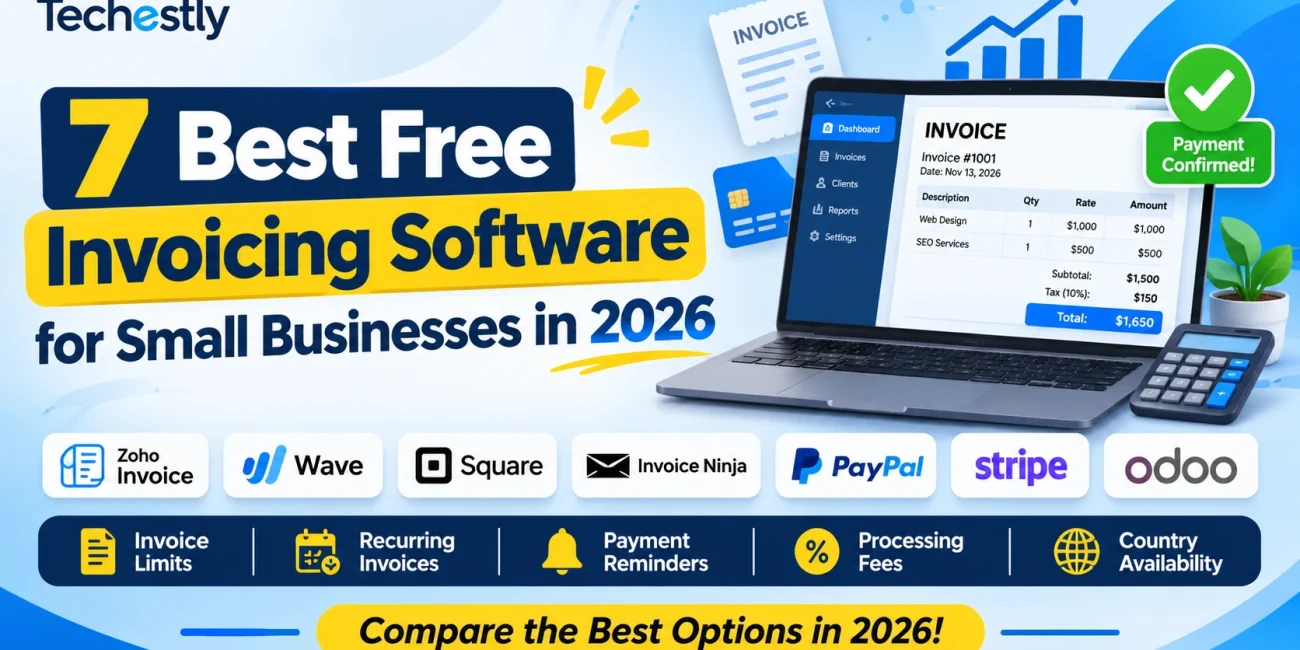
The best free invoicing software for small businesses helps freelancers, consultants, and business owners create professional invoices, track payments, and manage recurring bills without paying for an expensive monthly subscription. However, free plans often come with limits on invoices, clients, payment features, and transaction costs. In this guide, we compare seven invoicing tools to help you choose the right option.
Creating and sending invoices should not require an expensive monthly subscription. Freelancers, consultants, contractors, and small businesses can use free invoicing software to prepare professional invoices, track payments, send reminders, and manage recurring bills.
However, a tool advertised as free may still have important limits. Some platforms restrict the number of invoices you can issue each year. Others limit the number of clients, charge transaction fees when customers pay online, or only support businesses in selected countries.
In this guide, we compare seven invoicing options for small businesses in 2026. We look at invoice limits, recurring invoices, payment reminders, online payment fees, and availability so you can choose a tool that fits your business.
Pricing, limits, and features were checked against vendor information available in November 2026. Payment-processing rates and supported countries can change. Always confirm the terms for your business location before relying on an online payment feature.
Need a quick invoice without signing up? Try our free invoice generator and download a PDF in minutes.
Quick Comparison: Best Free Invoicing Software
| Software | Free-plan structure | Main limit or cost | Recurring invoices | Best for |
|---|---|---|---|---|
| Zoho Invoice | Free | Up to 500 invoices/year, 2 users | Yes | Freelancers and small businesses |
| Wave Starter | $0 monthly | US and Canada focus; payment processing fees | Available with supported payment setup | Small businesses needing basic bookkeeping |
| Square Invoices | Free plan | Processing fees; supported countries only | Available | Businesses using Square payments and POS |
| Invoice Ninja | Free | Up to 5 clients; unlimited invoices | Yes | Freelancers with a small client list |
| PayPal Invoicing | No monthly invoicing fee | Payment-processing fees vary by country | Yes | Businesses that already use PayPal |
| Stripe Invoicing | No monthly invoicing subscription for Starter | 0.4% per paid invoice plus payment processing | Recurring billing uses Stripe Billing | Businesses already using Stripe |
| Odoo Invoicing | One App Free plan | Free plan is limited to one Odoo app | Feature availability depends on setup | Businesses wanting a broader business system |
These tools are not identical. Zoho Invoice and Invoice Ninja are dedicated invoicing products, while Wave combines invoicing with bookkeeping, and Square, PayPal, Stripe, and Odoo connect invoicing to wider payment or business-management systems.
1. Zoho Invoice – Best Overall Free Invoicing Software
Zoho Invoice is a strong starting point for freelancers and small businesses that want more than a basic invoice generator.
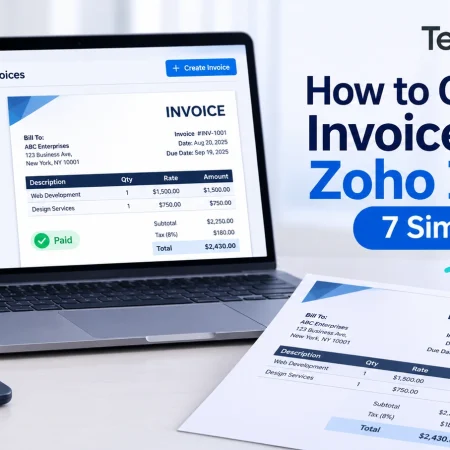
It supports professional invoices, customer management, expenses, payment reminders, recurring invoices, and reports. The product is offered as a free invoicing solution rather than a short trial of a paid subscription.
Free features and limits
- Up to 500 invoices per year
- Up to two users
- Up to three projects
- Invoice and credit-note creation
- Payment reminders
- Recurring invoices
- Expense tracking
- Customer portal
- Online and offline payment recording
- Reports
The 500-invoice annual allowance is the most important limit to understand. A freelancer sending 10 to 20 invoices per month may be comfortable with it, while a busy business issuing hundreds of invoices could outgrow the free allowance.
Zoho Invoice also includes Powered by Zoho Invoice branding.
Online payment fees
Zoho does not charge its own fee simply for receiving an online payment through the invoicing software. However, the connected payment gateway may charge transaction fees.
Available payment gateways depend on the country where the business is registered. A gateway that works in the United States may not be available to a business in another country.
Who should use Zoho Invoice?
Zoho Invoice is a good choice for freelancers, consultants, and small service businesses that want professional invoices, payment reminders, and recurring billing without a monthly software subscription.
Verdict: A strong overall free invoicing option, especially if 500 invoices per year is enough for your business.
2. Wave – Best for Invoicing and Basic Bookkeeping
Wave combines invoicing with basic bookkeeping features. That makes it useful for a small business that wants to track more than just unpaid customer bills.
Its Starter plan costs $0 per month and supports unlimited estimates, invoices, bills, and bookkeeping records.
Free features
- Unlimited estimates
- Unlimited invoices
- Unlimited bills
- Bookkeeping records
- Customer and cash-flow dashboard
- Mobile invoicing
- Option to accept online payments
The important restriction is geographic availability. Wave focuses on businesses located in the United States and Canada. Businesses outside these countries should not assume they can use the full invoicing and payment workflow.
Payment-processing fees
For eligible businesses using Wave Starter, published card-processing rates include:
- Visa, Mastercard, and Discover: 2.9% + $0.60 per transaction
- American Express: 3.4% + $0.60 per transaction
- ACH bank payment: 1%, with a $1 minimum
Processing rates and supported payment methods depend on the account’s country.
Automated late-payment reminders are included with Wave’s paid Pro plan rather than being a reason to assume every reminder feature is free on Starter.
Who should use Wave?
Wave is worth considering for a small business based in the United States or Canada that wants basic bookkeeping alongside invoicing.
It is not a practical first recommendation for a business registered in a country where Wave no longer supports its full service.
Verdict: A useful free invoicing and bookkeeping combination for eligible US and Canadian businesses.
3. Square Invoices – Best for Businesses That Also Take In-Person Payments
Square Invoices is designed for businesses that want to send invoices and accept payments through the wider Square ecosystem.
It can be useful for service providers, shops, and businesses that accept a mixture of online and in-person payments.
Free-plan highlights
- No monthly subscription cost on Square Free
- Create and send invoices
- Accept online invoice payments
- Support for in-person payments through Square
- Payment tracking
- Additional point-of-sale tools within the Square ecosystem
Square’s free plan does not mean payment processing is free. The current US pricing page lists an online or invoice card payment rate of 3.3% + $0.30 on Square Free. Other payment types have different rates.
Main limitations
Square’s biggest limitation for international users is country availability. Payment processing is supported for sellers in selected countries, including the United States, Canada, United Kingdom, Australia, Japan, France, Ireland, and Spain.
A business based outside supported markets should not choose Square on the assumption that it can activate Square card payments.
Processing fees can also add up as the number and value of online payments increase.
Who should use Square Invoices?
Square is a sensible option for eligible businesses that already use Square for point-of-sale payments or want invoicing and in-person payment tools in one system.
Verdict: A strong option for eligible local service and retail businesses, but country support must be checked first.
4. Invoice Ninja – Best for Freelancers With a Small Client List
Invoice Ninja is built for freelancers, agencies, and small service businesses that need a dedicated invoicing system.
Its free plan allows unlimited invoices, which is attractive for people who send invoices frequently. The main restriction is the number of clients.
Free-plan highlights
- Up to five clients
- Unlimited invoices
- Eleven invoice templates
- Add your business logo
- Recurring invoices and auto-billing features
- Online payment gateway integrations
- Client-side invoice and payment portal
- Deposits and partial payments
- Expense and project tools
The five-client cap is easy to overlook. A freelancer with only a handful of long-term clients may be fine, but an agency or consultant working with many different customers can reach it quickly.
Payment processing and reminders
Invoice Ninja can connect to payment gateways such as Stripe, PayPal, Square, and other supported providers. The gateway, not Invoice Ninja, handles the actual transaction and charges its own applicable fees.
The free plan includes recurring invoice capabilities, but automatic payment reminders are listed among the paid-plan features. Do not assume that recurring invoicing and automatic overdue reminders are the same feature.
Who should use Invoice Ninja?
It is worth considering for independent freelancers who issue many invoices to a small group of recurring clients.
Verdict: Excellent invoice volume for free, but the five-client limit is a major consideration.
5. PayPal Invoicing – Best for Businesses Already Using PayPal
PayPal Invoicing allows businesses to create and send invoices from their PayPal account. It is particularly convenient when customers already prefer to pay through PayPal or a supported card-payment option.
PayPal does not charge a setup fee or monthly fee simply for using its invoicing feature. Fees apply when a customer pays, and the amount depends on the country or region and the payment method.
Invoicing features
- Create and send invoices
- Add business details and a logo
- Include taxes, discounts, shipping, and notes
- Share invoices through email or a link
- Track invoice status
- Send payment reminders
- Schedule recurring invoices
- Allow partial payments where supported
- Create and manage invoices from mobile devices
PayPal also supports international invoicing, but available payment methods and fees depend on the recipient’s location and the merchant’s account market.
Main limitations
The biggest consideration is payment-processing cost. The invoice itself may be free to create, but receiving a card or PayPal payment is not free.
PayPal’s merchant fees vary by country, currency, and transaction type. Do not apply a US fee rate to a business registered elsewhere.
PayPal availability and account capabilities also vary by market. Check whether your business can open the required account and receive commercial payments in your country before selecting it.
Who should use PayPal Invoicing?
PayPal Invoicing is a convenient option for freelancers and service businesses that already use PayPal to receive customer payments.
Verdict: Easy invoicing with recurring invoices and reminders, but payment fees and country availability need careful checking.
6. Stripe Invoicing – Best for Businesses Already Using Stripe
Stripe Invoicing connects invoice creation to Stripe’s payment infrastructure. It is useful for businesses that already accept payments through Stripe and want to manage invoices from the same ecosystem.
Stripe’s Invoicing Starter option does not have a fixed monthly subscription fee. Instead, Stripe charges 0.4% per paid invoice, in addition to applicable payment-processing charges.
Features and costs
- Create, customize, and send invoices
- Track paid and unpaid invoices
- Collect online payments through Stripe
- No fixed setup or monthly invoicing fee on Starter
- 0.4% fee per paid invoice
- Payment-processing fees apply separately
Stripe’s 0.4% Invoicing Starter fee applies to one-time invoices. Recurring invoices or subscriptions use Stripe Billing, which has separate pricing and terms.
Main limitations
Stripe is not available for businesses in every country. A business generally needs to be located in a country where Stripe supports account creation and payment processing.
For example, Pakistan is not currently listed among Stripe’s supported business-account countries. Businesses should check Stripe’s official country list rather than assuming they can sign up with a local business address.
Who should use Stripe Invoicing?
Stripe Invoicing is a good fit for businesses already using Stripe in a supported market, particularly when they want invoicing integrated with their existing payment setup.
Verdict: A useful option for Stripe-based businesses, but the 0.4% invoice fee is additional to payment processing.
7. Odoo Invoicing – Best for Businesses That Want a Larger Management System
Odoo is a business-management platform with applications for accounting, invoicing, sales, inventory, CRM, projects, and other operations.
Its One App Free plan offers one Odoo application at no cost, with unlimited users. A business can use this plan to start with a single app instead of purchasing a full business software subscription immediately.
Free-plan highlights
- One application on the free plan
- Unlimited users
- Odoo Online hosting
- Invoicing capabilities through the relevant app
- A broader upgrade path to accounting, CRM, inventory, and other apps
Main limitations
The free plan is limited to one application. A business that wants to combine invoicing with CRM, inventory, and other Odoo apps may need a paid plan.
Odoo is also more complex than a simple invoice generator. Some small businesses may find it unnecessary if all they need is a few professional invoices each month.
Payment-provider availability and processing costs depend on the selected provider and country.
Who should use Odoo?
Odoo is worth exploring if your business expects to need more than invoicing over time and wants to build its workflow around one business platform.
Verdict: A flexible option for businesses planning to expand into wider business management, but not the simplest invoicing tool for a beginner.
Zoho Invoice vs Wave: Which Is Better?
Zoho Invoice and Wave are two of the strongest options for small businesses, but their free plans solve different problems.
| Feature | Zoho Invoice | Wave Starter |
|---|---|---|
| Monthly subscription | Free | Free |
| Invoice allowance | 500 per year | Unlimited |
| Users | Up to 2 | Check current account and team terms |
| Payment reminders | Yes | Automatic reminders are a paid Pro feature |
| Recurring invoices | Yes | Check supported payment setup |
| Bookkeeping | Expense tracking and reports | Broader basic bookkeeping features |
| Country availability | Varies by payment gateway | US and Canada focus |
| Payment fees | Gateway fees may apply | Card and bank processing fees apply |
Choose Zoho Invoice if you want dedicated invoicing features, recurring invoices, and reminders, and your annual volume is below 500 invoices.
Choose Wave if your business is based in the United States or Canada and you want unlimited invoices alongside basic bookkeeping.
There is no universal winner. Your country, invoice volume, and bookkeeping requirements should decide the choice.
What Should You Check Before Choosing Free Invoicing Software?
1. Annual and monthly invoice limits
Some services have no invoice limit, while others impose a yearly cap. Estimate how many invoices your business sends in a typical month and compare the annual total with the software’s allowance.
2. Number of clients or customers
A tool can offer unlimited invoices but still limit how many clients you can store. Invoice Ninja’s five-client free plan is a clear example.
3. Recurring invoices
If you bill customers every month for retainers, maintenance, subscriptions, or ongoing services, check whether the free plan supports recurring invoices.
Also check whether it creates the invoice automatically or actually charges the customer’s payment method. These are not always the same thing.
4. Payment reminders
Late payments can affect a small business’s cash flow. Look for automatic reminders, overdue notifications, and the ability to customize reminder messages.
Some platforms include manual reminders for free but reserve automated schedules for paid plans.
5. Payment-processing fees
An invoicing subscription can cost $0 while online payments still carry transaction fees.
For example, Square, Wave, PayPal, and Stripe have payment fees or percentage-based charges under their relevant payment offerings. Compare the total cost of collecting payment, not just the monthly software price.
6. Country and currency availability
Before adopting a platform, check whether your business can register, connect a local bank account, receive payouts, and accept the payment methods your clients use.
This is especially important for businesses operating internationally. A platform may let you create an invoice but not provide its full payment-processing service in your country.
7. Branding, tax, and compliance
Check whether the free plan adds the provider’s branding to invoices and whether you can configure the tax fields, business details, currency, and numbering format required in your market.
Software features do not automatically guarantee that an invoice meets your country’s tax or recordkeeping requirements.
Which Free Invoicing Software Should You Choose?
Here are the best starting points based on different needs:
- Best overall free invoicing: Zoho Invoice
- Best for unlimited invoices with bookkeeping: Wave, for eligible US and Canadian businesses
- Best for point-of-sale businesses: Square Invoices, in supported markets
- Best for freelancers with up to five clients: Invoice Ninja
- Best for PayPal users: PayPal Invoicing
- Best for businesses already using Stripe: Stripe Invoicing
- Best for a broader business-management system: Odoo
For many freelancers and small service businesses, Zoho Invoice is a sensible place to start. Invoice Ninja can be attractive if you have a small number of clients but issue invoices frequently. Wave is worth considering when its regional availability matches your business.
The most important step is to calculate the real cost of getting paid. A free invoice generator is only useful if it supports your workflow, country, and payment method.
Frequently Asked Questions
What is the best free invoicing software for small businesses?
Zoho Invoice is a strong all-round choice for businesses that can work within its annual invoice limit. Wave is another option for businesses in the United States and Canada that want invoicing and basic bookkeeping together.
Is Zoho Invoice really free?
Yes. Zoho offers a free invoicing product with limits that include up to 500 invoices per year, two users, and three projects. Its free plan also includes features such as payment reminders and recurring invoices.
Which invoicing software has unlimited invoices?
Wave Starter and Invoice Ninja Free both advertise unlimited invoices. However, Wave is focused on eligible US and Canadian businesses, while Invoice Ninja’s free plan is restricted to five clients.
Can I create recurring invoices with free software?
Yes. Zoho Invoice, Invoice Ninja, and PayPal Invoicing offer recurring invoice capabilities. Always check whether automatic payment collection is supported separately and whether the connected payment gateway charges a fee.
Is free invoicing software really free?
The software may have no monthly subscription, but online payment processing can still cost money. Payment providers often deduct a percentage and sometimes a fixed fee from each successful transaction.
Does Wave work outside the United States and Canada?
Wave focuses on businesses located in the United States and Canada. Its support and invoicing capabilities for users outside those markets have been restricted, so businesses elsewhere should consider another platform.
Does Stripe Invoicing charge a fee?
Stripe Invoicing Starter charges 0.4% per paid one-time invoice, in addition to applicable payment-processing fees. Recurring billing uses Stripe Billing and has separate pricing.
Is PayPal Invoicing free?
There is no setup or monthly fee for PayPal Invoicing. PayPal charges a payment-processing fee when a customer pays, and the applicable fee varies by country or region.
Which free invoice software is best for freelancers?
Zoho Invoice is a good general option for freelancers who need recurring invoices and payment reminders. Invoice Ninja is worth considering for freelancers with five or fewer clients who need to issue more invoices.
Can I use free invoicing software for international clients?
Many invoicing tools let you create invoices for customers in other countries. However, the ability to collect online payments depends on your business location, the payment provider, and its supported countries and currencies.
Final Verdict
The best free invoicing software is not necessarily the one with the largest number of features. It is the one that lets you create professional invoices, manage customers, follow up on late payments, and receive money without unexpected costs.
Zoho Invoice is a strong starting point for many small businesses, Invoice Ninja is attractive for freelancers with a small client list, and Wave offers a useful invoicing-and-bookkeeping combination in its supported markets.
Before choosing, check the annual invoice allowance, client limits, recurring-billing features, payment-processing fees, and country availability. Those details determine whether a free plan is genuinely practical for your business.
Official Sources
The free-plan features, pricing, and limitations discussed in this article were checked against the software providers’ official websites and help documentation. Pricing and availability can vary by country, so readers should verify the terms applicable to their business location before signing up.
- Zoho Invoice – Official Pricing and Free Plan Limits
- Wave – Official Pricing
- Wave – Availability Outside the United States and Canada
- Square Invoices – Official Pricing and Processing Fees
- Invoice Ninja – Official Pricing and Free Plan
- PayPal Invoicing – Official Features and Fees
- PayPal – Official Business Fees
- Stripe – Invoicing Pricing
- Stripe – Supported Countries and Regions
- Odoo – Official Pricing and One App Free Plan
Research note: Some processing-fee examples in this article are based on US pricing pages and must not be treated as universal rates. Payment processing, supported countries, and free-plan limits can change. Always check the provider’s latest terms for your country.

Other Articles

How to Choose Business Software for a Small Business
7 Best Free Email Marketing Software for Small Businesses in 2026