


Updated: October 17, 2026
This guide compares free project management software for small teams based on collaboration features, storage limits, and practical usability.
Choosing free project management software for a small team can be surprisingly complicated. Most platforms offer a free plan, but the restrictions are often more important than the advertised features.
One tool might support unlimited team members but offer very little file storage. Another might provide excellent task boards while limiting the number of collaborators. Some popular free plans are designed for just one or two people.
For startups, agencies, freelancers, and small businesses, these limitations can determine whether a free tool remains useful or requires a paid subscription after a few weeks.
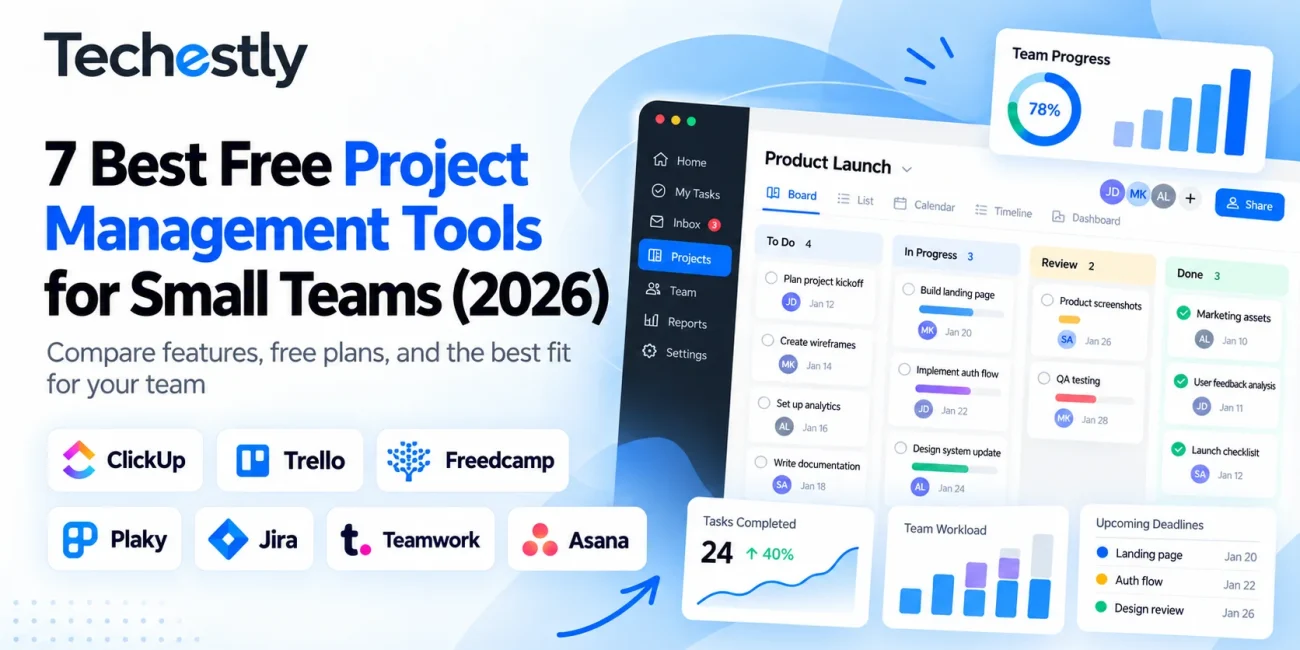
In this guide, we compare seven free project management tools for small teams, focusing on actual free-plan limits, essential features, use cases, and reasons you might eventually need to upgrade.
Quick answer: ClickUp is a strong choice for feature-rich task management, Trello is excellent for straightforward visual workflows, and Freedcamp or Plaky may suit teams that want to avoid per-user costs. Jira is particularly relevant for software development teams.
The right option depends on your team size, preferred workflow, and the restrictions you can realistically work around.
Research transparency: This comparison is based on official product pricing pages and documentation reviewed in October 2026. It is a research-based assessment, not a claim that Techestly personally tested every product. Free-plan terms may change.
Best Free Project Management Software: Quick Comparison
| Tool | Best For | Free Users | Main Free-Plan Limitation |
|---|---|---|---|
| ClickUp | Feature-rich task management | Unlimited | 60 MB storage |
| Trello | Simple visual boards | Up to 10 collaborators | 10 boards per Workspace |
| Freedcamp | Growing, budget-conscious teams | Unlimited | 10 MB per uploaded file; fair-use storage |
| Plaky | Flexible project boards | Unlimited | 6 fields per board |
| Jira | Software development teams | Up to 10 | 2 GB storage |
| Teamwork | Small agencies and client work | Up to 5 | 5 projects |
| Asana | Individuals and two-person teams | Up to 2 | Two-user limit |
These are ongoing free plans rather than ordinary time-limited trials. However, certain premium features may still be offered through temporary trials or optional upgrades.
How We Selected These Tools
A free project management tool should do more than let someone create a to-do list. It should help a team organize work and continue collaborating without immediately requiring paid seats.
For this comparison, we considered five factors.
1. Team-member limits: Can a team of three, five, or ten people collaborate without paying?
2. Project and task organization: Does the platform offer boards, lists, assignments, deadlines, or other ways to manage ongoing work?
3. File and storage restrictions: Can team members share useful project materials without quickly reaching a restrictive storage limit?
4. Workflow suitability: Is the tool appropriate for marketing teams, client projects, general business tasks, or software development?
5. Upgrade pressure: Which limitations are most likely to force a small business onto a paid plan?
Our recommendations focus primarily on the usefulness of each published free plan. We have not assigned numerical review scores because we have not conducted standardized hands-on performance tests across all seven products.
1. ClickUp — Best for Feature-Rich Free Task Management
ClickUp offers a Free Forever plan with unlimited tasks and free-plan members, making it a compelling option for businesses that need multiple people to collaborate.
Its free offering includes Kanban boards, collaborative documents, calendar views, and other core project-management features.
Unlike platforms that charge as soon as a team grows beyond two or five people, ClickUp does not impose the same straightforward user-count restriction on its Free Forever plan.
What You Get for Free
- Unlimited tasks
- Unlimited free-plan members
- Kanban boards
- Collaborative documents
- Calendar view
- Basic custom-field functionality
- 60 MB of storage
Main Limitation: Storage
The biggest drawback is the 60 MB storage allowance.
For teams that mostly work with text-based tasks, links, and lightweight documents, this may be manageable.
However, creative agencies, designers, and businesses exchanging large files could quickly encounter that limit.
The free plan also has restrictions on certain advanced features and usage allowances.
Who Should Choose ClickUp?
ClickUp makes sense for teams that want a central workspace covering several types of projects.
For example, a small marketing agency could organize content calendars, client deliverables, campaign tasks, and internal responsibilities in one platform.
It may be less suitable for teams that frequently upload large media files directly into their project-management system.
Advantages: Unlimited free members, broad task-management functionality, collaborative documents.
Disadvantages: Very limited file storage and a potentially more complex interface than simpler board-based alternatives.
Our assessment: A strong starting point for teams that want flexibility and can keep large files in a separate storage service.
2. Trello — Best for Simple Visual Project Management
Trello is built around boards, lists, and cards.
Instead of requiring extensive configuration, teams can organize tasks visually by moving cards between stages such as To Do, In Progress, Review, and Completed.
This makes Trello particularly appealing to teams that prioritize clarity and straightforward collaboration.
What You Get for Free
Trello’s Free plan includes:
- Up to 10 collaborators per Workspace
- Up to 10 boards per Workspace
- Unlimited cards
- Task assignments and due dates
- Unlimited Power-Ups per board
- 10 MB maximum attachment size per file
- 250 Workspace automation command runs per month
Main Limitation: Collaborators and Boards
The ten-collaborator restriction is important because Trello counts invited Workspace members and board guests toward the limit.
A business with eight employees and several external collaborators may reach the restriction sooner than expected.
The free plan also limits how many boards can remain open in a Workspace.
Who Should Choose Trello?
Trello is an appealing option for smaller teams with relatively simple workflows.
A content team could create a board with columns for Ideas, Writing, Editing, Scheduled, and Published.
Each article becomes a card containing assignments, deadlines, notes, and relevant links.
Teams needing extensive reporting, granular permissions, or complex project dependencies may eventually prefer another platform.
Advantages: Clear visual workflow, straightforward task organization, useful free automation allowance.
Disadvantages: Ten-collaborator cap, board restrictions, and limitations on advanced project features.
Our assessment: One of the easiest options to consider for teams that primarily want to see what needs doing and who is responsible.
3. Freedcamp — Best for Teams That Want Unlimited Free Users
Freedcamp is worth considering when the number of collaborators matters more than access to advanced premium features.
Its free plan offers unlimited users, projects, and tasks.
Freedcamp also includes core applications for organizing work, discussions, files, calendars, and milestones.
What You Get for Free
- Unlimited users
- Unlimited projects and tasks
- Storage subject to a fair-usage policy
- 10 MB maximum file size per upload
- Task management
- Milestones
- Team discussions
- Calendar and file-management functionality
Main Limitation: File Size and Advanced Features
Although Freedcamp provides generous free collaboration allowances, individual uploaded files are limited to 10 MB.
The storage offering is also subject to fair-use conditions.
Additionally, certain capabilities, such as more advanced project-management functionality and specialized business tools, require higher-tier plans.
Who Should Choose Freedcamp?
Freedcamp may be especially relevant to growing organizations that want to add collaborators without worrying about a small free-user cap.
For example, a startup could organize product work, marketing tasks, and general operations across multiple projects.
It is particularly worth comparing against Trello if your team expects to exceed ten collaborators.
Advantages: Unlimited free users and projects, multiple core collaboration tools, no basic per-seat restriction.
Disadvantages: Small per-file upload limit and premium-only advanced capabilities.
Our assessment: A practical contender for budget-conscious teams that expect their number of collaborators to grow.
View Freedcamp’s official plans
4. Plaky — Best for Flexible Task Boards on a Budget
Plaky offers an unusually generous approach to free team size and project organization.
Its free plan supports unlimited users, spaces, boards, items, and views.
That can make it attractive to businesses that need a structured place to manage work without immediately purchasing user subscriptions.
What You Get for Free
- Unlimited users
- Unlimited spaces and boards
- Unlimited items and views
- Up to 6 fields per board
- Basic workspace roles
- A 7-day activity log
- Project boards and task organization
Main Limitation: Board Customization
The free version supports six fields per board.
Fields help teams track information such as project status, assigned individuals, deadlines, links, or other properties.
Six fields may be sufficient for simple workflows.
However, teams managing complex client records, detailed production pipelines, or highly customized project data may need greater flexibility.
Certain advanced permissions and features also require paid plans.
Who Should Choose Plaky?
Plaky is worth considering for small agencies, administrative teams, and businesses that like organized, customizable boards.
A team might use one board to track client requests, another for marketing campaigns, and another for internal operations.
It is particularly interesting if adding more users and boards is a higher priority than highly advanced customization.
Advantages: Unlimited free users, boards, and items; structured task tracking.
Disadvantages: Six-field limit per board and restrictions on more advanced administrative features.
Our assessment: A competitive free option for teams that prefer structured boards and expect their projects to expand.
5. Jira — Best for Software Development Teams
Jira is a project and work-tracking platform particularly suited to software development.
Its free plan supports up to ten users and includes features designed for organizing development work.
Teams can manage issues, backlogs, projects, and agile workflows.
What You Get for Free
- Up to 10 users
- Scrum and Kanban boards
- Backlog management
- Project and work-item tracking
- 2 GB storage
- Community support
Main Limitation: Team Size and Advanced Administration
The free plan is limited to ten users.
It also provides fewer advanced administration, permissions, reporting, and support options than paid plans.
These restrictions may become more significant as development teams grow or require more formal security controls.
Who Should Choose Jira?
Jira makes sense for software teams that work in sprints, manage development backlogs, or need to organize bugs and feature requests.
For example, a small development team could use Jira to manage issues, assign work, prioritize a backlog, and follow progress through development stages.
However, a small nontechnical business looking for a basic task board may find a simpler tool more suitable.
Advantages: Development-focused workflows, agile planning features, useful issue tracking.
Disadvantages: Ten-user limit and restrictions on advanced administrative functionality.
Our assessment: A sensible first option for small engineering teams, but not necessarily the simplest choice for general office work.
6. Teamwork — Best for Small Agencies Managing Client Projects
Teamwork focuses on project organization and client-oriented work.
Its free plan supports up to five users and five projects, making it potentially useful for small agencies with a limited number of active engagements.
The plan includes task-management tools and multiple project views.
What You Get for Free
- Up to 5 users
- Up to 5 projects
- Task, list, board, table, and Gantt views
- Time logging
- Client-oriented project organization
- Limited automation features
Main Limitation: Five Projects
The five-project allowance is particularly important for agencies.
If a business handles many clients simultaneously, the free plan may become restrictive even before the team reaches its five-user limit.
For businesses with just a few ongoing client projects, however, the restriction may be manageable.
Who Should Choose Teamwork?
Teamwork is worth exploring for a small web design studio, consulting team, or service agency managing a handful of projects.
It may be attractive if the business wants to organize deliverables and track work around individual clients.
Businesses with numerous simultaneous engagements should compare the project cap against alternatives such as ClickUp or Freedcamp.
Advantages: Client-project focus, multiple project views, time logging.
Disadvantages: Five-user limit and five-project cap.
Our assessment: A relevant option for very small client-service teams, provided the project limit fits their workload.
View Teamwork’s official plans
7. Asana — Best for Individuals and Two-Person Teams
Asana is a recognizable work-management platform with task lists, boards, and calendars.
However, its current Personal plan supports only two users.
That distinction matters when comparing free software for teams of five or ten people.
What You Get for Free
- Up to 2 users
- Unlimited tasks
- Unlimited projects
- List view
- Board view
- Calendar view
- File storage with a 100 MB maximum per file
Main Limitation: Two Users
For a freelancer working independently or two business partners, the Personal plan may be sufficient.
However, a team of five people cannot rely on the current free plan for full-team collaboration.
A paid plan would be necessary to accommodate additional users.
Who Should Choose Asana?
Asana’s Personal plan is most relevant to individuals and pairs that want structured task management.
A freelance consultant and an assistant, for example, could use it to coordinate assignments and deadlines.
Larger businesses should evaluate the cost of paid plans rather than assuming Asana provides unrestricted free collaboration.
Advantages: Unlimited tasks and projects for eligible free users, multiple basic project views.
Disadvantages: Free collaboration limited to two users.
Our assessment: Useful for individuals and pairs, but not a strong free-plan match for a larger small team.
Which Free Project Management Tool Should Your Team Choose?
The best choice changes depending on team size and workflow.
For a Team of 2 People
Consider Asana, Trello, ClickUp, or Plaky.
At this size, most free-user restrictions are not yet a problem. Simplicity and preferred project views may matter more.
For a Team of 5 People
Consider Trello, ClickUp, Freedcamp, Plaky, Teamwork, or Jira.
Teamwork is worth evaluating for client-focused projects, while Jira is more relevant to technical teams.
For a Team of 10 People
Trello and Jira are near their free-user limits. ClickUp, Freedcamp, and Plaky may offer more flexibility if the team expects to expand.
For More Than 10 People
Start by comparing ClickUp, Freedcamp, and Plaky.
Their published free plans do not impose the same basic ten-user restriction, although other limitations still apply.
| Your Priority | Tools Worth Considering |
|---|---|
| Simple visual tasks | Trello |
| More functionality in one workspace | ClickUp |
| Unlimited free collaborators | Freedcamp or Plaky |
| Software development workflows | Jira |
| Small client-service agency | Teamwork |
| Two-person collaboration | Asana |
These are starting recommendations rather than guarantees that a particular platform will meet every team’s needs.
Free Project Management Software vs. Paid Plans
Free plans can be sufficient for small teams, but businesses should understand when an upgrade becomes worthwhile.
You probably do not need a paid plan yet if:
- Your team fits within the free-user limit.
- You can organize work using the included views.
- File-storage restrictions are manageable.
- You do not require advanced reporting or permissions.
- Your team can manage projects without extensive automation.
A paid plan may become worthwhile when:
- Additional collaborators need access.
- You repeatedly encounter storage or project limits.
- Managers need detailed workload reporting.
- Your team requires advanced permissions or security controls.
- Manual processes are becoming expensive in staff time.
The goal should not be to avoid paying indefinitely. It should be to delay an upgrade until the additional features solve a real business problem.
How to Choose the Right Tool in 30 Minutes
Before committing your entire team to a platform, run a small evaluation.
First 10 Minutes: Create a Real Project
Choose an actual project your business is currently managing.
Create a project or board and add five to ten realistic tasks.
Include deadlines, descriptions, and responsible team members.
Next 10 Minutes: Invite Collaborators
Invite one or two people and ask them to update their assigned tasks.
Check whether responsibilities, notifications, and progress are easy to understand.
Final 10 Minutes: Review the Free Limits
Find the official pricing page and confirm:
- How many people can join?
- How many boards or projects are allowed?
- What storage limits apply?
- Which views require payment?
- What happens when the team outgrows the free tier?
A short evaluation will not reveal every long-term limitation, but it can quickly identify products that do not match your team’s basic requirements.
Frequently Asked Questions
What is the best completely free project management software for small teams?
There is no single best option for every team.
ClickUp is worth considering for feature-rich task management, Trello for straightforward visual workflows, and Freedcamp or Plaky for generous user allowances.
The best option depends on team size, storage needs, and the workflow you prefer.
Is ClickUp really free for unlimited users?
ClickUp’s Free Forever plan lists unlimited free-plan members and unlimited tasks.
However, it includes a 60 MB storage allowance and limits certain additional features.
Teams should review these restrictions before relying on the free plan for large projects.
Is Trello free for a team of five?
Yes. Trello’s Free plan supports up to ten collaborators per Workspace.
A five-person team can use the free plan, provided its boards and other usage remain within the published restrictions.
Is Asana free for teams in 2026?
Asana offers a free Personal plan, but its current plan supports only two users.
It is suitable for individuals or two-person teams rather than businesses requiring five or ten free collaborators.
Which free tool is best for a software development team?
Jira is particularly relevant because it includes Scrum and Kanban workflows, backlogs, and software-oriented issue tracking.
ClickUp may also be worth comparing if the development team prefers a more general work-management platform.
Can a small business use free project management software permanently?
Potentially, yes.
If the business stays within the provider’s free-plan limits, it may not need a paid subscription.
However, free-plan features and restrictions can change, so businesses should periodically review official pricing and service terms.
Should small teams choose the tool with the most features?
Not necessarily.
A tool that everyone understands and regularly uses can be more effective than one with advanced features that create unnecessary complexity.
Choose the simplest tool that covers your actual projects, collaboration requirements, and expected growth.
Final Verdict
The best free project management software is the one that helps your team complete real work without forcing unnecessary upgrades.
For small teams seeking extensive task-management functionality, ClickUp is a strong candidate, provided its storage restriction is manageable.
For teams that value simplicity, Trello offers a straightforward visual approach.
For organizations expecting to add more collaborators, Freedcamp and Plaky deserve serious consideration because of their generous free-user allowances.
Jira is particularly relevant to software developers, Teamwork is worth considering for small client-service teams, and Asana remains an option for individuals and two-person partnerships.
Before choosing, compare the number of collaborators, storage restrictions, available views, and future upgrade requirements.
Related reading: 6 Best Free CRM Software for Small Businesses in 2026 (Compared) — if your business also needs a way to organize customer relationships and sales leads.
Last reviewed: October 17, 2026. Software pricing and free-plan features may change. Check each provider’s official pricing page for the latest details.

Other Articles
ClickUp vs Trello Free Plan (2026): Which Is Better?
6 Best Free CRM Software for Small Businesses in 2026 (Compared)