



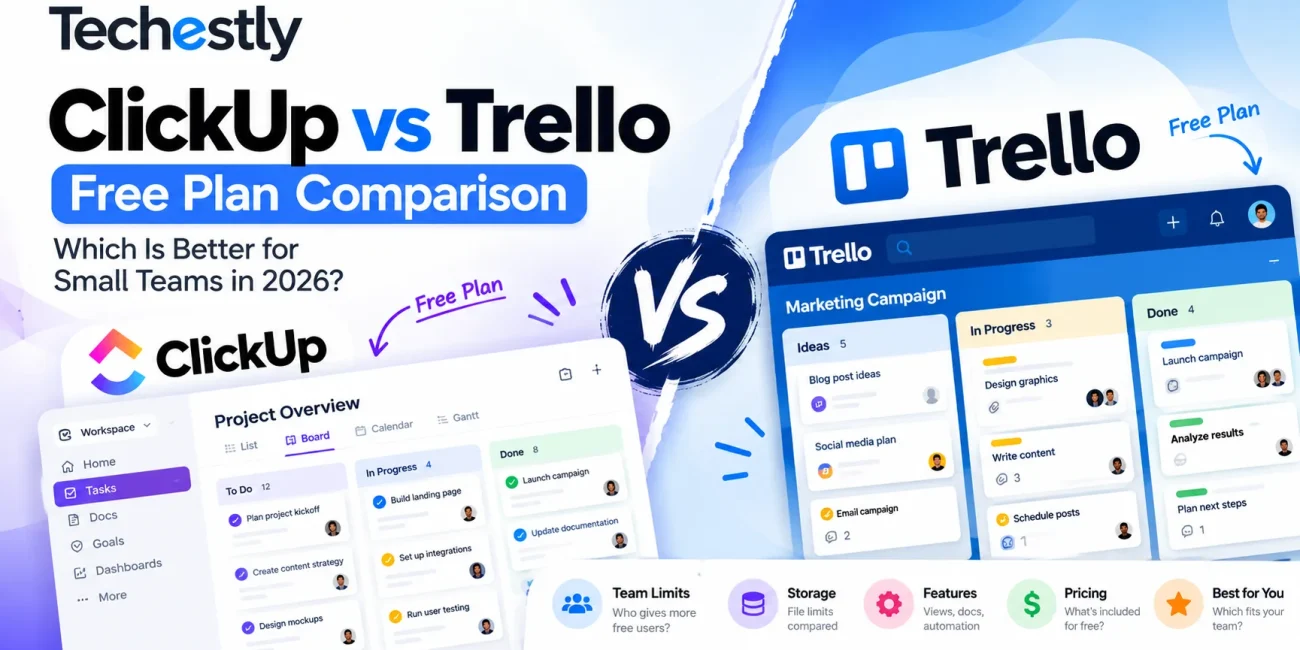
Choosing between ClickUp and Trello becomes more complicated when you’re trying to run an entire team without paying for project management software.
Both tools offer ongoing free plans. Both help you assign tasks, track deadlines, and organize work. But their restrictions are very different.
ClickUp’s Free Forever plan supports unlimited members and tasks, but includes just 60 MB of Workspace storage. Trello’s Free plan supports up to 10 collaborators and 10 open boards per Workspace, but offers unlimited total attachment storage with a 10 MB limit per file.
That difference matters more than it might initially seem.
A growing startup may benefit from ClickUp’s unlimited members. A three-person creative team sharing dozens of small files might prefer Trello’s simpler workflow and more forgiving total storage policy.
In this ClickUp vs Trello free plan comparison for 2026, we’ll examine team limits, storage, features, automation, usability, and upgrade costs to help you decide which tool fits your business.
Quick verdict: Choose ClickUp if you need multiple project views, team flexibility, and more structured workflows. Choose Trello if your team has 10 or fewer collaborators and primarily wants simple, visual task management.
Research transparency: This comparison is based on official ClickUp and Atlassian/Trello documentation reviewed on October 17, 2026. It does not claim hands-on testing of both platforms. Features and pricing may change.
ClickUp vs Trello Free Plan: Quick Comparison
| Feature | ClickUp Free Forever | Trello Free |
|---|---|---|
| Monthly subscription | $0 | $0 |
| Team size | Unlimited free-plan members | Up to 10 collaborators |
| Tasks or cards | Unlimited tasks | Unlimited cards |
| Projects and boards | Up to 5 Spaces | Up to 10 open boards per Workspace |
| Attachment storage | 60 MB total Workspace storage | Unlimited total, maximum 10 MB per attachment |
| Kanban board | Included | Included |
| List view | Included | Premium Table view required for Trello’s native table layout |
| Calendar view | Included | Premium for native Calendar view |
| Collaborative documents | Included | Cards, descriptions, attachments, and Power-Ups |
| Automation allowance | 100 actions/month, up to 5 active automations | 250 runs/month |
| Main advantage | More flexibility and users | Simplicity and total attachment storage |
| Main drawback | Small storage allowance | User and board limits |
Important: ClickUp counts automation actions, while Trello counts automation runs and also imposes an operations quota. These numbers are not directly equivalent.
The table summarizes published free-plan features. Advanced view usage, automation behavior, and other product capabilities can have additional restrictions.
Official plans: ClickUp Pricing and Trello Pricing.
1. ClickUp Free Forever: What Do You Actually Get?
ClickUp is designed to bring tasks, documents, project views, and collaboration into a more structured workspace.
Instead of focusing only on boards, it offers several ways to organize and visualize the same work.
Its Free Forever plan includes a substantial set of features for teams that want a flexible work-management platform.
What ClickUp Includes for Free
According to its published pricing and support documentation, the Free Forever plan offers:
- Unlimited tasks and free-plan members
- Kanban board and list views
- Calendar view
- Collaborative Docs
- Sprint management
- Basic custom-field functionality
- Two-factor authentication
- Up to five Spaces per Workspace
- 60 MB total Workspace storage
- Limited automations and advanced feature usage
A Space is an organizational area within ClickUp. A business might use separate Spaces for marketing, operations, and client projects, then divide the work into folders and lists.
This structure can be useful for teams handling several types of work.
For example, a startup could manage product tasks, a content calendar, and customer onboarding within the same Workspace.
ClickUp’s Biggest Free-Plan Limitation: 60 MB Storage
ClickUp’s storage restriction is particularly important.
The Free Forever plan includes 60 MB of total Workspace storage, shared by the team.
That allowance can be consumed by uploaded task attachments, certain cover images, uploaded recordings, and other stored files.
For a business working mainly with task descriptions and external document links, this might be manageable.
For a design studio handling images, presentations, and creative deliverables, it could become restrictive quickly.
One possible workaround is to keep large files in a separate cloud storage service and add links to project tasks. However, teams should still confirm that this workflow meets their access and collaboration needs.
Another Limitation: Advanced Features Have Usage Caps
ClickUp includes access to several capabilities on its free plan, but some have cumulative usage limits.
For example, ClickUp’s documentation lists limited usage for certain advanced views and customizations.
Its free automation allowance is 100 actions per month across up to five active automations.
A team that relies heavily on automated task creation, status changes, or notifications may eventually need a paid plan.
ClickUp Free: Pros and Cons
Advantages
- Unlimited free-plan members
- Unlimited tasks
- Multiple useful project views
- Collaborative documents
- Suitable for several kinds of business workflows
- Flexible organizational structure
Disadvantages
- Only 60 MB Workspace storage
- Five-Space limit
- Advanced features may have usage caps
- More settings and structure to learn
- Automation allowance may be restrictive
Who Should Choose ClickUp?
ClickUp is worth considering for small businesses that want one platform for multiple kinds of work.
It can be particularly appealing when the team is growing, because the free plan does not impose Trello’s ten-collaborator cap.
However, the benefits are strongest when someone on the team is willing to maintain a consistent project structure.
Techestly assessment: ClickUp is the stronger free option for teams prioritizing user flexibility and structured project organization over attachment storage.
Explore ClickUp’s official free plan
2. Trello Free: What Do You Actually Get?
Trello takes a more visual approach to managing projects.
Most work is organized using boards, lists, and cards.
A board might represent a project, lists might represent stages, and cards represent individual tasks.
For a content team, the workflow could look like this:
Ideas → Research → Writing → Editing → Published
Team members move cards between lists as work progresses.
This approach makes it easier to understand project status without creating a complex system.
What Trello Includes for Free
The Free plan includes:
- Up to 10 collaborators per Workspace
- Up to 10 open boards per Workspace
- Unlimited cards
- Unlimited Power-Ups per board
- Unlimited total attachment storage
- 10 MB maximum file size per attachment
- Task assignments and due dates
- 250 Workspace automation runs per month
- Mobile applications
- Two-factor authentication
Trello also provides tools such as Inbox and card-based organization. Additional views and more advanced capabilities depend on the subscription tier.
Trello’s Biggest Limitation: 10 Collaborators
Trello’s Free plan supports a maximum of ten collaborators per Workspace.
The important detail is that collaborators can include more than full-time employees.
According to Atlassian’s documentation, Workspace members, board guests, and pending invitations can count toward the limit.
That means a business with eight employees and two active external collaborators may already be close to the maximum.
The restriction applies across the Workspace, not separately to every board.
If your team expects to grow past ten collaborators, ClickUp offers a more flexible free-user allowance.
Another Limitation: 10 Open Boards
Trello also limits free Workspaces to ten open boards.
This might be enough for a small content team managing a few recurring workflows.
However, an agency creating separate boards for many clients may reach this restriction quickly.
Closing a board can free space for another open board, but it also changes how the team accesses existing project work.
Trello’s Storage Advantage
Trello offers unlimited total attachment storage on the Free plan, but individual attachments are limited to 10 MB.
That distinction is important.
A small business can potentially store many small files without facing ClickUp’s 60 MB total Workspace allowance.
However, larger assets such as videos, high-resolution graphics, and lengthy presentations may exceed Trello’s per-file limit.
Neither platform should automatically be treated as a substitute for a dedicated file-storage system.
Trello Free: Pros and Cons
Advantages
- Straightforward board-based organization
- Unlimited cards
- Generous total attachment storage
- Unlimited Power-Ups per board
- Useful free automation quota
- Suitable for visual task workflows
Disadvantages
- Maximum ten collaborators per Workspace
- Ten open boards per Workspace
- Individual files limited to 10 MB
- Native Calendar, Timeline, and advanced views require higher plans
- More complex workflows may require additional setup or Power-Ups
Who Should Choose Trello?
Trello is a strong contender for smaller teams whose projects can be managed using visual boards and clear task stages.
For example, a five-person marketing team might use Trello to track content production, social media campaigns, and weekly priorities.
It may be less suitable for organizations requiring numerous project hierarchies, native advanced reporting, or collaboration beyond the free-user allowance.
Techestly assessment: Trello is the better free starting point for teams that value simplicity and visual organization over extensive built-in project structures.
Explore Trello’s official free plan
3. ClickUp vs Trello: Which Free Plan Has Better Team Limits?
Winner: ClickUp
ClickUp’s unlimited free-plan members give it an advantage when team size is the main concern.
Trello limits free Workspaces to ten collaborators.
Consider three hypothetical businesses.
Scenario A: A Three-Person Marketing Team
A three-person team can use either tool without reaching its basic member limit.
Trello may be more appealing if most work moves through predictable stages, such as planning, creating, reviewing, and publishing.
ClickUp may be better if the team wants task lists, calendars, documents, and more structured project management.
Suggested starting point: Trello for straightforward workflows; ClickUp if multiple views and structured organization matter.
Scenario B: An Eight-Person Agency With External Clients
Eight employees can fit within Trello’s free-user allowance.
However, invited clients or contractors may also count as collaborators, depending on how they access the Workspace.
ClickUp’s unlimited free members reduce the risk of encountering a strict team-size cap.
Suggested starting point: ClickUp if the business regularly involves external collaborators.
Scenario C: A Fifteen-Person Startup
Trello’s free Workspace collaborator limit makes it unsuitable for giving all fifteen people ordinary collaborative access in one free Workspace.
ClickUp’s Free Forever plan supports unlimited members.
However, storage and other feature limits still need consideration.
Suggested starting point: ClickUp, provided its restrictions fit the team’s workflow.
4. ClickUp vs Trello: Which Is Better for File Storage?
Winner: Trello for many small attachments
The two platforms use different storage restrictions.
ClickUp limits the entire free Workspace to 60 MB.
Trello limits individual attachments to 10 MB but does not impose the same published total storage cap.
For a team sharing many small documents and images, Trello may be more practical.
For a team that needs to store larger individual files, neither free plan may be ideal.
Example: A Content Production Team
Suppose a small team manages articles, newsletters, and social media posts.
If most project materials are task descriptions and links, ClickUp’s storage allowance may be sufficient.
If editors repeatedly upload small reference images and documents, Trello’s attachment policy could be easier to work with.
For videos and large creative files, both teams should consider a separate file-storage solution.
Bottom line: Do not compare only the word “storage” on pricing pages. Check whether the restriction applies to each file or the Workspace as a whole.
5. ClickUp vs Trello: Which Has Better Project Views?
Winner: ClickUp on free-plan view variety
ClickUp’s free offering includes list, board, and calendar views.
These allow teams to organize work in different ways without creating separate project records for every view.
A manager may prefer a task list, while another team member prefers a Kanban board.
Trello focuses more heavily on its familiar board layout.
Its native Calendar, Timeline, Table, and other advanced views require appropriate paid plans.
Trello still supports dates, tasks, and additional functionality through its standard cards and Power-Ups, but that is not the same as having all premium views available natively.
Which Approach Is Better?
Choose ClickUp if team members need different ways to view project work.
Choose Trello if a shared board is enough for everyone to understand progress.
More views do not automatically mean better productivity. A consistent workflow that everyone follows is usually more valuable than features nobody uses.
6. ClickUp vs Trello: Which Is Easier to Learn?
Likely advantage: Trello
Trello’s board-and-card structure is relatively simple to explain.
A new team member can understand a typical Kanban workflow by looking at the columns and moving cards between them.
ClickUp provides more configuration options, including Spaces, folders, lists, task properties, and views.
These options create flexibility, but they may also require more initial decisions.
For a small team without a dedicated project manager, minimizing configuration can be a significant benefit.
However, this is an assessment of the platforms’ workflow designs, not a measured onboarding-speed test.
When Simplicity Matters Most
Trello may fit a business that wants to start managing tasks with minimal preparation.
When Flexibility Matters Most
ClickUp may suit a team willing to spend additional setup time in exchange for more ways to organize projects.
Our recommendation: Consider how much time your team is willing to invest in setting up and maintaining the system.
7. Automation: ClickUp vs Trello Free
No universal winner — their quotas measure different things.
Automation can reduce repetitive administrative work.
For example, a project tool might automatically update a task, assign a person, or send a notification when a specific event occurs.
Both ClickUp and Trello offer automation functionality, but their free plans impose different restrictions.
ClickUp Free Automation
ClickUp supports up to five active automations and 100 automation actions per month on Free Forever.
Some automation features and integrations are restricted to paid tiers.
Trello Free Automation
Trello’s Free plan supports 250 automation runs per month.
Atlassian also documents an operations quota, so a workflow containing several actions can consume more operations than runs.
Which Should You Choose?
If you want simple board-related automation, Trello is worth evaluating.
If you need automation as part of a more structured project environment, ClickUp may fit better.
But 250 runs are not directly comparable to 100 actions. Teams should examine the number of operations their actual workflows perform.
8. ClickUp vs Trello Paid Plans: When Should You Upgrade?
Both platforms provide ongoing free plans, but their paid options become relevant when team requirements grow.
Based on published US pricing reviewed in October 2026:
| Entry Paid Plan | Annual Billing Rate | Monthly Billing Rate |
|---|---|---|
| ClickUp Unlimited | $7 per user/month | $10 per user/month |
| Trello Standard | $5 per user/month | $6 per user/month |
Prices are displayed in US dollars and may change. Taxes, billing conditions, and eligibility can affect final costs.
When ClickUp Unlimited May Be Worth It
ClickUp’s Unlimited plan is relevant when a team needs more storage, additional features, and fewer restrictions.
It can be particularly useful if a business has already adopted ClickUp’s workflow structure and repeatedly encounters the free storage cap.
When Trello Standard May Be Worth It
Trello Standard removes the ten-board and ten-collaborator restrictions and adds capabilities such as advanced checklists and Custom Fields.
This upgrade may make sense for a growing team that wants to keep its Trello-based workflow rather than migrate to another platform.
Should You Upgrade Immediately?
Usually not.
If the free plan supports your current workload, it makes sense to identify which paid feature would deliver measurable value before committing to a subscription.
For accurate pricing and plan availability, always review the official provider websites.
9. Which Tool Is Better for Your Type of Business?
Different teams have different requirements.
| Team or Business | Recommended Starting Point | Main Reason |
|---|---|---|
| Two-person business | Trello | Simple visual task tracking |
| Growing startup with 12+ collaborators | ClickUp | Unlimited free members |
| Content marketing team | Trello or ClickUp | Depends on desired workflow complexity |
| Small creative agency | Trello for smaller files; ClickUp for more project structure | Different storage and organization strengths |
| Software development team | ClickUp | Multiple views and sprint-related features |
| General operations team | ClickUp | More structured organization |
| Freelancer managing simple tasks | Trello | Board-first simplicity |
These are practical starting recommendations based on feature availability, not results from a controlled product test.
Best for a Marketing Agency
For a small marketing agency, the deciding questions are how many people need access, how many client projects are active, and how often the team shares files.
Trello may be sufficient for a small team that uses separate boards for a few clients.
ClickUp may offer more flexibility for agencies managing several workflows under a shared structure.
Best for a Software Startup
ClickUp is likely worth exploring first.
Its multiple project views, sprint capabilities, and unlimited free-plan members could fit a growing development environment.
However, a team that needs specialized software issue tracking should also compare dedicated development tools.
Best for a Freelancer
Trello is often a reasonable starting option for a freelancer who wants to track project stages, deadlines, and client deliverables.
A freelancer managing complex recurring operations may prefer ClickUp’s richer structure.
10. How to Choose Between ClickUp and Trello in 20 Minutes
Before migrating all your work, try the following short evaluation.
First: Define One Real Workflow
Choose a project you already manage.
Examples include launching a website, producing a content calendar, or completing a client campaign.
List the actual tasks required to complete it.
Second: Create the Workflow in Both Tools
In Trello, create a board and add lists such as To Do, In Progress, Review, and Done.
In ClickUp, create a List or project structure with equivalent tasks and statuses.
Avoid adding features that your team does not actually need.
Third: Check Collaboration
Invite a colleague to update a task in each platform.
Consider whether assignments, deadlines, and task status are easy to understand.
If external collaborators will participate regularly, check how the provider counts guests and what permissions are available.
Fourth: Review Free-Plan Limits
Ask yourself:
- Will we exceed ten collaborators?
- Will we need more than ten Trello boards?
- Can we stay within ClickUp’s 60 MB storage limit?
- Do we need multiple project views?
- Are free automation quotas sufficient?
- Will we regularly upload files larger than 10 MB?
Your answers should make the choice considerably clearer.
Frequently Asked Questions
Is ClickUp or Trello better for free?
ClickUp is stronger for teams needing unlimited free members and multiple project views.
Trello is a strong option for teams that value simplicity and have no more than ten collaborators per free Workspace.
Neither is better for every type of business.
Is ClickUp really free forever?
Yes. ClickUp offers an ongoing Free Forever plan with unlimited tasks and free-plan members.
However, the plan has restrictions, including 60 MB storage and limits on certain features.
Can I use Trello for free with 10 team members?
Yes. Trello’s Free plan supports up to ten collaborators per Workspace.
The limit includes certain guests and pending invitations, so teams should monitor how many collaborators are counted.
Does Trello have unlimited storage?
Trello’s Free plan provides unlimited total attachment storage, subject to a 10 MB maximum per individual file.
That is different from ClickUp’s 60 MB total free Workspace allowance.
Which is better for a five-person team?
Both may be suitable.
Trello can be preferable for straightforward boards and simple collaboration.
ClickUp may be better if the team wants multiple views, structured projects, and collaborative documents in the same system.
Does ClickUp have a Kanban board?
Yes. ClickUp includes a Kanban Board view on its Free Forever plan.
Teams can use it to organize and move tasks between workflow stages.
Is Trello’s Calendar view free?
Trello’s native board Calendar view is a Premium/Enterprise feature according to Atlassian’s support documentation.
The Free plan supports due dates and can extend functionality through compatible tools, but the full native Calendar view is not part of the ordinary Free plan.
Which is better for teams with more than 10 people?
ClickUp has the advantage for teams requiring more than ten free collaborators in one Workspace.
Trello’s Free plan has a ten-collaborator restriction.
Does either tool guarantee higher productivity?
No. Productivity depends on your team, project complexity, work habits, and whether everyone consistently uses the software.
The best tool is the one that makes your work easier to organize and complete.
Final Verdict: ClickUp vs Trello Free Plan in 2026
Both ClickUp and Trello offer genuinely useful free plans, but they are designed around different priorities.
Choose ClickUp if:
- Your team may grow beyond ten collaborators.
- You want list, board, and calendar views.
- You need more structured project organization.
- Collaborative documents and flexible workflows matter.
- Your team can work around the 60 MB storage limit.
Choose Trello if:
- Your team has ten or fewer collaborators.
- You prefer simple, visual boards.
- Most shared attachments are under 10 MB each.
- You want minimal setup.
- You do not need advanced project views on the free tier.
Our recommendation: For a growing small business, ClickUp offers more flexibility in free team size and project organization. For a smaller team prioritizing simplicity, Trello may be easier to adopt and maintain.
Neither is the right choice simply because it offers more features. The right choice is the platform your team can use consistently without paying for capabilities it does not yet need.
Related Techestly guides:
- 7 Best Free Project Management Tools for Small Teams (2026)
- 6 Best Free CRM Software for Small Businesses in 2026 (Compared)
If you’re still evaluating free software, start with our broader project management comparison before committing to a platform.
Sources and Research Methodology
This article was prepared using official product pricing pages and support documentation, reviewed October 17, 2026.
Primary references:
- ClickUp — Official Pricing
- ClickUp — Workspace Storage Limits
- ClickUp — Automations Limits
- ClickUp — Spaces and Organization
- Trello — Official Pricing
- Trello — Free Workspace Collaborator Limits
- Trello — Free and Paid Plan Features
- Trello — Automation Quotas
Product documentation and subscription terms may change. Readers should confirm current features and prices directly with the providers before making purchasing decisions.
Last reviewed: October 17, 2026.

Other Articles

HubSpot vs Zoho CRM Free Plan (2026): Which Is Better?
7 Best Free Project Management Tools for Small Teams in 2026