

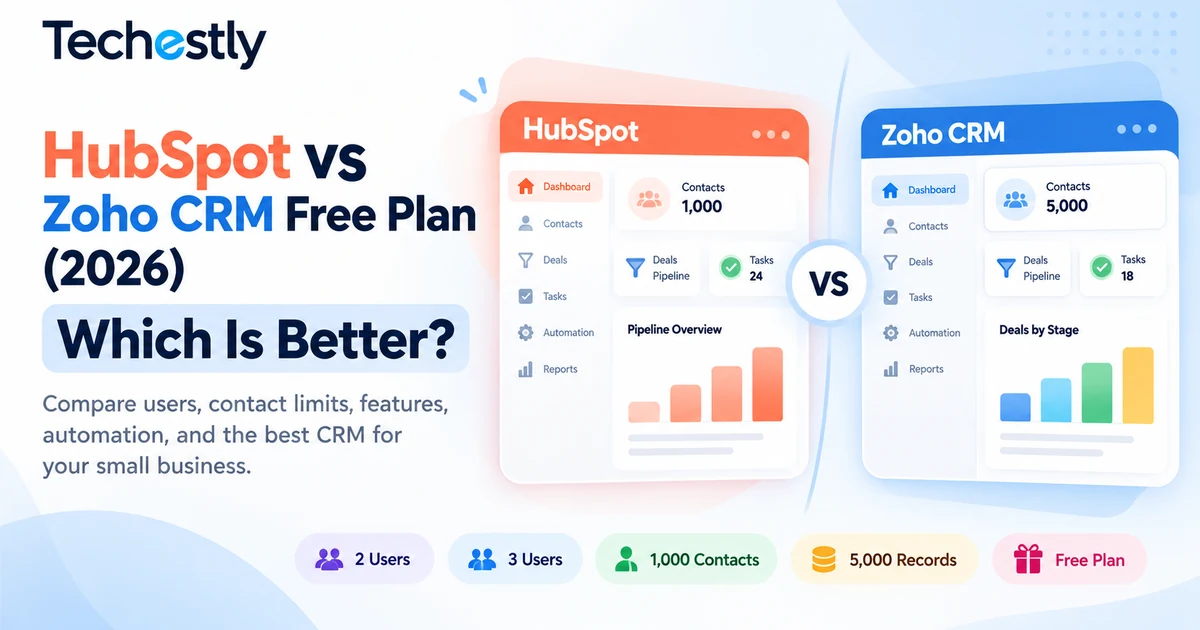
Choosing between HubSpot and Zoho CRM can be challenging when your business needs a customer relationship management system but isn’t ready for another monthly subscription. Both platforms offer permanent free CRM plans, making them attractive to freelancers, startups, consultants, and small businesses. However, their free plans come with different restrictions.
HubSpot’s free CRM supports up to two users and 1,000 contacts. Zoho CRM’s free edition supports up to three users and advertises capacity for 5,000 contact records.
Those differences may seem small, but they can significantly affect a growing business.
For example, a two-person consulting company may find HubSpot’s contact management and communication tools sufficient. Meanwhile, a three-person sales team might prefer Zoho CRM because all three employees can use its free edition.
In this guide, we’ll compare HubSpot vs Zoho CRM free plans in 2026, including user limits, contact management, sales pipelines, email capabilities, automation, reporting, and upgrade considerations.
Quick verdict: HubSpot is worth considering for solo professionals and two-person businesses that prioritize sales communication tools. Zoho CRM is a stronger free-plan candidate for three-person sales teams and businesses that need a broader published contact allowance.
Neither platform is automatically the best choice for every small business.
Research transparency: This is a documentation-based comparison using official HubSpot and Zoho pricing information reviewed in October 2026. Techestly has not conducted standardized hands-on testing of both platforms.
HubSpot vs Zoho CRM Free Plan: Quick Comparison
| Feature | HubSpot Free CRM | Zoho CRM Free |
|---|---|---|
| Starting price | $0 | $0 |
| Free users | Up to 2 | Up to 3 |
| Free-plan expiry | No expiration | Free forever |
| Published contact allowance | 1,000 contacts | Up to 5,000 contact records advertised |
| Contact management | Yes | Yes |
| Lead and deal tracking | Yes | Yes |
| Task management | Yes | Yes |
| Email capabilities | Email tracking and selected free tools | Email templates and limited communication features |
| Workflow automation | Limited functionality | Limited workflow rules |
| Reports | Basic reporting tools | Standard reports |
| Mobile access | Yes | Yes |
| Main advantage | Communication tools and connected customer-platform ecosystem | Extra free user and generous published contact allowance |
| Primary limitation | Two-user and 1,000-contact restrictions | Advanced features and integrations require paid editions |
Important: Zoho’s free-edition guide describes support for up to 5,000 contact records, while its detailed feature documentation distinguishes between contact records, overall data storage, and other limits. Businesses should confirm the current allowance applicable to their account before importing a large database.
Official sources: HubSpot CRM Pricing and Zoho CRM Pricing.
1. HubSpot Free CRM: What Does It Include?
HubSpot offers a free customer relationship management platform designed to help businesses organize contacts, deals, and customer interactions.
Its free CRM is part of HubSpot’s broader customer platform, which includes tools for marketing, sales, customer service, and content management.
According to HubSpot’s official documentation, the free tools support two users and 1,000 contacts without an expiration date.
Main Features of HubSpot Free CRM
HubSpot advertises a range of free CRM capabilities, including:
- Contact and company management
- Deal tracking
- Task management
- Email tracking and engagement notifications
- Selected email templates
- Meeting scheduling
- Live chat
- Basic reporting capabilities
- Integration with supported Gmail and Outlook accounts
The availability and usage allowance of individual tools can vary, so teams should verify the latest feature restrictions before relying on them.
Why HubSpot May Suit a Small Business
Imagine a freelance marketing consultant working with an assistant.
The business manages leads from a website contact form, schedules introductory meetings, prepares proposals, and follows up with potential clients.
A CRM can provide one central location for contact information and deal progress.
HubSpot’s free communication-oriented features may be useful in that environment.
For example, the consultant could organize prospects into different sales stages and track which opportunities need attention.
HubSpot’s Biggest Free-Plan Restrictions
The most important limitations are:
Two users: Businesses needing three or more regular CRM users will outgrow the published free-user allowance.
1,000 contacts: A company with a rapidly expanding lead database may reach this cap sooner than expected.
Limited advanced features: More sophisticated automation, reporting, and administrative capabilities belong to higher subscription levels.
These restrictions make HubSpot’s free plan more suitable for small teams than businesses expecting extensive CRM usage.
HubSpot Free CRM: Pros and Cons
Advantages
- Ongoing free CRM without a trial deadline
- Contact, deal, and task management
- Useful customer communication tools
- Integration with supported email accounts
- Opportunity to expand into HubSpot’s broader platform
Disadvantages
- Limited to two free users
- 1,000-contact allowance
- Restrictions on advanced automation and reporting
- Additional features may require paid HubSpot products
- Subscription costs require careful evaluation as a business scales
Techestly assessment: HubSpot’s free CRM is a compelling starting point for solo professionals and very small businesses that want to organize customer relationships and communications in one platform.
2. Zoho CRM Free: What Does It Include?
Zoho CRM offers a free edition designed for small businesses that need a structured sales process without immediately paying for user licenses.
Unlike HubSpot’s two-user free offering, Zoho CRM supports up to three users on its permanent free edition.
Zoho also advertises contact management, follow-up reminders, selected workflow automation capabilities, standard reports, and mobile access.
Main Features of Zoho CRM Free
According to Zoho’s published pricing information, the free edition includes:
- Up to three users
- Lead and contact management
- Deal tracking
- Tasks, meetings, and call activity tracking
- Follow-up reminders
- Limited workflow automation
- Up to ten custom email templates
- Standard reports
- Data import and limited export functionality
- Mobile applications
Zoho’s free-edition guide also describes webforms, email-related capabilities, and additional workflow features.
However, users should check feature availability carefully. Full email-provider integration and advanced sales capabilities appear under paid editions on Zoho’s current pricing pages.
Why Zoho May Suit a Small Sales Team
Consider a business with three employees:
One person manages incoming inquiries, another prepares quotations, and the third handles follow-ups.
With Zoho’s free edition, all three can potentially access the CRM without immediately purchasing regular paid seats.
The team can organize customer records, track opportunities, and maintain a shared view of work.
This may be more practical than choosing a free plan limited to two users.
Zoho’s Biggest Free-Plan Restrictions
Zoho’s free edition has its own trade-offs.
Three-user limit: A fourth regular CRM user requires reconsidering the subscription or workflow.
Limited advanced customization: Custom modules and fields, advanced permissions, and other functionality are restricted by edition.
Restricted integrations: Some connections to third-party applications and email providers require Standard or higher editions.
Automation limitations: Zoho provides limited workflow functionality on its free edition, but larger or more sophisticated processes need paid capabilities.
Zoho CRM Free: Pros and Cons
Advantages
- Free for up to three users
- Contact and deal management
- Basic activity tracking and reminders
- Selected workflow functionality
- Standard reports
- Mobile CRM access
Disadvantages
- Free edition limited to three users
- Some email integrations require upgrading
- Advanced customization is restricted
- More sophisticated workflows and sales features require paid editions
- Users must understand record, storage, and feature limits before scaling
Techestly assessment: Zoho CRM is worth serious consideration for small sales teams that need three regular CRM users and want basic sales-process functionality without a subscription.
3. HubSpot vs Zoho CRM: Which Supports More Users?
Winner: Zoho CRM
This is one of the clearest differences between the free editions.
HubSpot supports up to two free users, while Zoho CRM supports up to three.
For a solo founder, both plans meet the basic user requirement.
For a two-person company, both are still viable.
But for a three-person business, Zoho offers an obvious advantage.
Example: A Three-Person Sales Team
Suppose a small home-services company employs:
- One person handling new customer inquiries
- One salesperson following up with leads
- One manager reviewing ongoing opportunities
If all three require regular CRM access, Zoho’s free edition can accommodate the team within its published user limit.
HubSpot’s free plan cannot accommodate all three as regular free users.
What About Teams With Four or More People?
Neither platform’s basic free-user allowance covers a four-person team.
At that point, the business should compare paid subscription costs or investigate other free CRM options.
Bottom line: Zoho has the advantage for a three-person team. For one or two users, the best choice depends on features rather than seat count alone.
4. Which Free CRM Is Better for Contact Management?
Zoho CRM has a higher advertised free contact allowance, but check the exact record limits.
HubSpot clearly states that its free account supports up to 1,000 contacts.
Zoho’s free-edition guide advertises capacity for 5,000 contact records.
This difference may matter to businesses collecting large numbers of inquiries over time.
However, contact limits and general database or module-level limits are not necessarily interchangeable. Before migrating thousands of records, review the current vendor documentation and the limits shown inside the relevant CRM account.
Example: A Local Service Business
Imagine a home renovation company receiving inquiries from a website, referrals, social media, and past customers.
Over time, the business may build a substantial customer database.
A CRM should help the company:
- Keep contact details organized
- Track current opportunities
- Record previous customer conversations
- Schedule follow-up activities
- Avoid duplicate or outdated records
For businesses with fewer than 1,000 contacts, both platforms may offer sufficient capacity.
A company expecting significantly more contacts should carefully compare the published storage and record allowances before committing.
Data Quality Matters More Than Raw Contact Count
A database containing thousands of outdated contacts can be less useful than a smaller, well-maintained list.
Whichever CRM you choose, create a consistent process for keeping customer records accurate.
That includes removing duplicates, recording relevant interactions, and restricting access to sensitive customer information.
5. HubSpot vs Zoho CRM: Email and Communication Features
HubSpot may be the more convenient starting point for certain email-oriented workflows.
HubSpot advertises free email tracking, engagement notifications, templates, and meeting-related tools.
These features can appeal to consultants, service providers, and small sales teams that communicate with prospects frequently.
Zoho CRM also includes email-related features on its free edition, such as limited custom email templates.
However, its current pricing documentation places full Gmail, Outlook, and Zoho Mail integration under its Standard plan.
That is an important distinction.
Before Choosing, Ask These Questions
Does your business need to:
- Track customer conversations?
- Use reusable email templates?
- Schedule meetings with prospects?
- Connect an existing business mailbox?
- Send large campaigns?
- Automate follow-up sequences?
Do not assume every feature described on a product’s general marketing page is available without limits in its free edition.
Some features may be included only in limited form, through connected tools, or after a paid upgrade.
Our recommendation: If email tracking and meeting workflows are essential, examine HubSpot’s free-tool allowances first. If your priority is organizing sales records for three users, compare Zoho’s core free features.
6. Which CRM Offers Better Free Automation?
There is no universal winner without defining the workflow.
Automation can reduce repetitive sales administration.
For example, a business may want to:
- Assign a new lead to a team member
- Send a reminder when a follow-up is due
- Update a deal when its status changes
- Notify a manager about an important opportunity
Zoho’s current documentation lists limited workflow automation in its free edition. Its free-edition guide describes five workflow rules, although available actions and allowances are restricted.
HubSpot offers selected free automation-related capabilities, while more powerful workflow tools require paid subscriptions.
A Practical Example
A small consulting agency receives a new lead through its website.
The ideal workflow might be:
- Create a CRM record.
- Assign the inquiry to the appropriate person.
- Schedule a follow-up.
- Notify the owner if no action is taken.
Before selecting a CRM, identify which of these steps the free edition can actually automate and which still require manual work.
A workflow that sounds simple may involve several separate product features.
Bottom line: Zoho advertises limited CRM workflow rules on its free plan. HubSpot provides selected basic automation features, but teams should compare the exact workflow they need instead of relying on broad automation claims.
7. Reporting and Sales Pipeline Management
Both HubSpot and Zoho CRM provide basic tools to manage customer opportunities.
Businesses can use a CRM to understand which potential sales are new, which need follow-ups, and which are approaching a decision.
What Small Businesses Should Track
A simple pipeline might contain these stages:
New Lead → Contacted → Qualified → Proposal Sent → Won or Lost
For a small business, this structure can make sales activity easier to manage.
Useful metrics include:
- Number of new leads
- Open opportunities
- Follow-ups due this week
- Deals won and lost
- Potential revenue from active opportunities
Zoho includes standard reports on its free plan.
HubSpot provides basic reporting functionality through its free tools, with more advanced analytics and reporting capabilities available through paid products.
Our assessment: Both can support basic pipeline organization. The better choice depends on which reporting views and permissions your business actually requires.
8. HubSpot vs Zoho CRM Pricing: What Happens When You Outgrow Free?
A free CRM is valuable only if its restrictions fit your business.
Before choosing either product, think about what happens when you add more employees or need advanced features.
HubSpot Upgrade Considerations
HubSpot’s paid Starter products can increase access to selected features and users.
However, HubSpot offers multiple products and subscription structures, so the final cost depends on the features, seats, billing frequency, and available promotions.
Its pricing pages sometimes advertise special introductory rates for eligible new customers.
For that reason, businesses should not assume a temporary promotional rate represents their long-term subscription cost.
Zoho CRM Upgrade Considerations
Zoho CRM offers Standard, Professional, Enterprise, and Ultimate editions.
Its Standard edition adds capabilities beyond Free, including more extensive email integrations, sales functionality, and customization options.
The company publishes different monthly and annual billing rates.
Businesses should calculate the complete cost of all required regular user licenses rather than comparing only the advertised per-user starting price.
A Simple Upgrade Checklist
Before paying for either CRM, ask:
- How many employees need regular access?
- Do we need more contact or record capacity?
- Which automation features are essential?
- Do we need advanced reports?
- Are third-party integrations included?
- Is the displayed rate introductory or ongoing?
- Does annual billing require a longer commitment?
Review the current official pricing pages before making a purchasing decision.
9. Which CRM Should Different Small Businesses Choose?
The best CRM depends on how a company sells, communicates, and manages its customers.
| Business Type | Suggested Starting Point | Why |
|---|---|---|
| Solo freelancer | HubSpot or Zoho | Both offer free core CRM functionality |
| Two-person consultancy | HubSpot | Worth evaluating for communication tools |
| Three-person sales team | Zoho CRM | Three free users |
| Local service provider | Either | Depends on database size and workflow |
| Growing team with four or more users | Compare paid plans or alternatives | Neither free edition covers four regular users |
| Business using multiple Zoho services | Zoho CRM | May fit its existing software ecosystem |
These are research-based suggestions, not conclusions from direct product testing.
Best for Freelancers
Freelancers often need to organize leads, remember follow-ups, and track proposals.
HubSpot may appeal to those who prioritize email-related features and meeting coordination.
Zoho may be worth exploring for freelancers who prefer a more traditional sales-CRM approach.
Best for Agencies
A small agency should consider how many employees require access and whether client activity needs to be managed through multiple pipelines.
If two people handle all sales activity, HubSpot may be enough.
If three staff members need regular access, Zoho offers additional free-user flexibility.
Best for Local Home-Service Businesses
Contractors, restoration businesses, and remodeling companies frequently manage inquiries that move through multiple stages.
For example:
New Inquiry → Inspection Scheduled → Estimate Sent → Approved → Completed
A CRM can help track these stages and maintain follow-up records.
The right product depends on whether the company needs only lead tracking or additional scheduling, estimating, and field-service management systems.
A CRM alone does not replace dedicated field-service software.
10. How to Compare Both CRMs Before Migrating Your Business
You do not need to migrate thousands of contacts to evaluate a CRM.
Start with a small, controlled sample.
Step 1: Create a Sample Sales Pipeline
Build a pipeline based on your real business.
Use stages such as New Inquiry, Contacted, Proposal Sent, and Won.
Keep the structure simple.
Step 2: Add Sample Contacts
Create ten non-sensitive sample records.
Include a combination of new prospects, existing customers, and follow-up opportunities.
Avoid uploading real customer information unless you have a legitimate reason and appropriate safeguards.
Step 3: Test Routine Tasks
Try the following:
- Create a lead
- Add a follow-up task
- Record a customer interaction
- Move an opportunity to another stage
- Find overdue tasks
- Review a basic report
Step 4: Evaluate Collaboration
If your team has multiple people, check how assignments and shared access work.
Make sure everyone who needs regular CRM access is covered by the free plan.
Step 5: Review Long-Term Costs
Write down which features your business will likely need over the next six to twelve months.
Then compare the actual subscription costs required to unlock them.
This practical evaluation can prevent unnecessary migrations after your team has already invested time in a platform.
Frequently Asked Questions
Is HubSpot CRM completely free in 2026?
HubSpot offers a permanent free CRM with up to two users and 1,000 contacts.
The free plan does not have an ordinary trial expiration date, but usage limits and restrictions apply.
Is Zoho CRM free forever?
Yes. Zoho CRM offers a permanent free edition for up to three users, with restrictions on advanced features and usage.
Which is better for a three-person team, HubSpot or Zoho?
Zoho CRM has the advantage because its free edition supports three users.
HubSpot’s published free-user allowance is two.
Does HubSpot have a free contact limit?
Yes. HubSpot currently lists a 1,000-contact allowance for its free tools.
Businesses requiring more contacts should review its paid options.
How many contacts does Zoho CRM Free support?
Zoho’s free-edition guide advertises capacity for up to 5,000 contact records.
Because edition limits may also apply to broader record and storage usage, businesses should verify the current limits before importing a large database.
Does Zoho CRM Free include automation?
Zoho lists limited workflow automation capabilities in its free edition.
Advanced automation and additional actions depend on the subscription tier.
Is HubSpot or Zoho easier to use?
That depends on the team’s experience and preferred workflow.
HubSpot may appeal to businesses prioritizing an integrated set of communication tools. Zoho may suit teams that want structured sales management.
A short trial using realistic sample tasks is more reliable than assuming one platform will be easier for everyone.
Can I switch from HubSpot to Zoho or vice versa?
Both platforms offer ways to import and export data, subject to plan-specific limits.
However, contact records, deal stages, activities, attachments, and custom properties may need preparation or mapping during migration.
Always export a backup and test a small sample before moving a complete customer database.
Which CRM should a growing small business choose?
Consider team size, database growth, required integrations, and future subscription costs.
Zoho has an advantage for three free users, while HubSpot may be appealing for businesses focused on customer communication workflows.
Neither free edition is ideal for every growing organization.
Final Verdict: HubSpot vs Zoho CRM Free Plan in 2026
Choose HubSpot Free CRM if:
- Your business has one or two regular CRM users.
- You want contact and deal management alongside useful communication tools.
- Your contact database fits within the free allowance.
- You may eventually adopt additional HubSpot products.
Choose Zoho CRM Free if:
- Your business needs three regular CRM users.
- You want a structured sales CRM without immediate subscription costs.
- You need basic activity tracking and limited workflow functionality.
- Your business may benefit from other Zoho applications.
Our recommendation: HubSpot is worth evaluating first for solo professionals and small teams prioritizing email-oriented customer management. Zoho CRM has a clear free-user advantage for three-person sales teams.
The best decision is not simply which product offers more features.
It is which free plan supports your real sales process today without forcing an unnecessary upgrade tomorrow.
For more free CRM options, read our 6 Best Free CRM Software for Small Businesses in 2026.
If your business also needs to coordinate tasks and project deadlines, explore our 7 Best Free Project Management Tools for Small Teams.
Sources and Research Methodology
This article was prepared using official product documentation reviewed on October 27, 2026.
Primary sources:
- HubSpot — Free CRM
- HubSpot — Free Tools and Pricing
- Zoho CRM — Free Edition Guide
- Zoho CRM — Official Pricing
- Zoho CRM — Edition and Role Guide
- Zoho CRM — Product Specifications
This comparison emphasizes the published free-plan allowances, likely upgrade triggers, and practical small-business use cases. We have not claimed firsthand testing that was not conducted.
Feature availability, pricing, promotions, and plan limits can change. Readers should verify details with each provider.
Last reviewed: October 27, 2026.

Other Articles
7 Best Free AI Meeting Notes Tools in 2026 (Compared)
ClickUp vs Trello Free Plan (2026): Which Is Better?