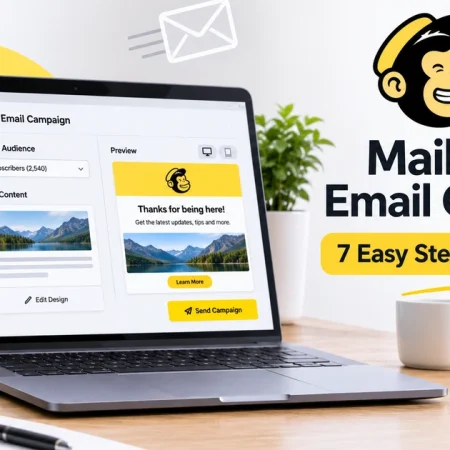





Mailchimp is a well-known email marketing platform, but its Free plan can become restrictive when your subscriber list grows or you need to send more campaigns. Its current Free plan includes up to 250 contacts and 500 email sends per month, with a daily limit of 250 sends.
Fortunately, several email marketing platforms offer free plans with different contact limits, sending allowances, and automation features. The best free Mailchimp alternatives depend on how large your audience is and how often you plan to email them.
In this guide, we compare five options: Sender, Brevo, Kit, EmailOctopus, and MailerLite. We look at their free-plan limits, useful features, disadvantages, and the type of business or creator each tool suits best.
Already using Mailchimp and want to understand its campaign process? Read our guide on how to send an email campaign in Mailchimp.
Why Look for a Mailchimp Alternative?
Mailchimp is useful for creating newsletters, managing subscribers, and running email marketing campaigns. However, its Free plan has several restrictions:
- Up to 250 contacts.
- 500 email sends per month.
- A maximum of 250 sends per day.
- One audience.
- One user seat.
- Limited email templates and basic reporting.
These limits may be enough when you are starting out, but they can become a problem if you have a growing subscriber list or send regular newsletters.
For example, a business with 200 subscribers can use most of its monthly allowance by sending only two campaigns to its entire audience.
Switching to another platform may give you more sending capacity, additional automation features, or a higher subscriber allowance without an immediate monthly subscription.
Best Free Mailchimp Alternatives Compared
Here is a quick comparison of the five platforms and their published free-plan limits.
| Platform | Free subscribers or contacts | Free email allowance | Important restriction |
|---|---|---|---|
| Sender | 2,500 | 15,000/month | 1 user; Sender branding |
| Brevo | Up to 100,000 contacts | 300/day | Brevo branding; daily sending cap |
| Kit | 10,000 | Unlimited broadcasts | No visual automations or email sequences |
| EmailOctopus | 2,500 | 10,000/month | 1 user; 3 automations |
| MailerLite | 250 active subscribers | 2,500/month | 2 users; 3 automations |
These figures refer to the providers’ published free plans, checked on November 17, 2026. Contact limits and sending allowances are not directly interchangeable. For example, Brevo uses a daily sending cap, while Sender uses a monthly allowance.
1. Sender – Best Overall Free Mailchimp Alternative
Best for: Small businesses that need more subscribers and monthly email sends
Sender is a good starting point for businesses that want to send newsletters without paying for an email marketing subscription.
Its Free Forever plan supports up to 2,500 subscribers and 15,000 email sends per month. That gives smaller businesses considerably more room than Mailchimp’s 250-contact and 500-send free allowance.
The platform also includes an email editor, signup forms, popups, landing pages, and email automation features.
Key Features
- Drag-and-drop email builder.
- Email newsletters and campaigns.
- Subscriber segmentation.
- Signup forms and popups.
- Landing pages.
- Email automation workflows.
- Campaign performance reports.
Sender Free Plan Limits
- Up to 2,500 subscribers.
- Up to 15,000 emails per month.
- One user seat.
- Sender branding on emails and forms.
- Email automation included.
- No daily sending limit listed for the Free plan.
The branding requirement means your emails and forms will include Sender’s branding. You also cannot add multiple team members under the free plan.
Pros
- Generous subscriber and monthly sending limits.
- Email automation is included.
- Signup forms and landing pages are available.
- Useful features for small businesses and online stores.
Cons
- Only one user seat.
- Sender branding is required.
- A/B testing is not included in the Free plan.
- Some advanced features require a paid subscription.
Our Verdict
Sender is one of the first platforms worth considering if Mailchimp’s free sending allowance is too small for your business. Its 2,500-subscriber and 15,000-email allowance gives you more room to run regular campaigns.
Official website: Sender
2. Brevo – Best for Large Contact Lists
Best for: Businesses with many stored contacts but smaller daily email campaigns
Brevo takes a different approach to free email marketing. Instead of limiting the number of stored contacts to a small subscriber allowance, its Free plan allows you to store up to 100,000 contacts.
However, there is an important restriction: you can send only 300 emails per day on the Free plan.
This makes Brevo useful when you manage a large contact database but do not need to email everyone at once.
Brevo also offers tools beyond regular newsletters, including CRM features, transactional email, SMS options, and marketing automation.
Key Features
- Email campaign builder.
- Contact management.
- Drag-and-drop email editor.
- Basic campaign reporting.
- Transactional email.
- CRM and sales features.
- Marketing automation with plan restrictions.
Brevo Free Plan Limits
- Up to 100,000 stored contacts.
- 300 email sends per day.
- One marketing seat.
- Basic statistics and reporting.
- Brevo branding on emails.
- Marketing automation available with a limit of up to 2,000 contacts.
The daily limit is important. For a campaign sent to more than 300 recipients, only 300 contacts receive the email on that day. You must manually resend the campaign to reach additional recipients.
Brevo also includes a small “Sent with Brevo” branding sticker on emails sent through its Free plan.
Pros
- Supports a large stored contact list.
- Includes CRM-related features.
- Useful for transactional and marketing emails.
- Offers basic marketing automation.
Cons
- Daily sending is limited to 300 emails.
- Brevo branding remains on free emails.
- Basic reporting is more limited than paid plans.
- Large campaigns may take multiple days to complete.
Our Verdict
Brevo is a good option when contact storage matters more than sending a large campaign in one day. However, its 300-email daily limit makes it less suitable for businesses that regularly send bulk newsletters.
Official website: Brevo
3. Kit – Best for Creators and Newsletter Publishers
Best for: Bloggers, independent creators, and newsletter publishers
Kit, formerly known as ConvertKit, is designed around creators who want to build an audience through email newsletters.
Its Free plan is especially interesting because it supports up to 10,000 subscribers and allows unlimited email broadcasts.
You can also create forms and landing pages, organize subscribers using tags, and promote digital products.
However, Kit’s free plan focuses on one-time email broadcasts rather than advanced automated email sequences.
Key Features
- Email broadcasts.
- Subscriber tagging and segmentation.
- Unlimited forms and landing pages.
- Landing pages for audience growth.
- Digital product and subscription features.
- Broadcast A/B testing.
- Creator Network recommendations.
Kit Free Plan Limits
- Up to 10,000 email subscribers.
- Unlimited email broadcasts.
- Unlimited forms and landing pages.
- Audience tagging and segmentation.
- Digital products and subscriptions.
- No visual automation builder.
- No email sequences.
The lack of visual automations and email sequences is an important restriction. For example, you cannot build a full automated welcome sequence that sends a series of emails to new subscribers using the Free plan.
Pros
- High free subscriber limit.
- Unlimited email broadcasts.
- Useful tools for newsletter growth.
- Supports digital products and subscriptions.
- Includes tagging and segmentation.
Cons
- Visual automations require a paid plan.
- Email sequences are not included.
- Its creator-focused features may be unnecessary for some businesses.
- It may not be the best fit for traditional business email campaigns.
Our Verdict
Kit is worth considering if you are a blogger, writer, or content creator who wants to build a large newsletter audience. Its free subscriber allowance is generous, but businesses that depend on automated welcome emails or customer follow-up sequences should check the paid-plan requirements.
Official website: Kit
4. EmailOctopus – Best for Simple Newsletter Campaigns
Best for: Small businesses and newsletter publishers that want straightforward email marketing
EmailOctopus focuses on making email marketing easier to manage. Its interface and feature set are aimed at users who want to organize subscribers, design newsletters, and send regular email campaigns without needing a complicated marketing platform.
Its free Starter plan supports up to 2,500 contacts and 10,000 emails per month.
The plan also includes basic automation tools, forms, and a landing page.
Key Features
- Email campaign editor.
- Subscriber management.
- Email templates.
- Basic segmentation.
- Signup forms and landing pages.
- Email automation.
- Campaign reports.
EmailOctopus Free Plan Limits
- Up to 2,500 contacts.
- Up to 10,000 email sends per month.
- One user per account.
- Three automations.
- One landing page.
- One form.
- Up to 10 fields and 10 tags per list.
- Campaign reports available for 30 days.
Your campaigns must also include an EmailOctopus link under the Free Starter plan. Its automation workflows are limited to five steps each, excluding the trigger.
Pros
- Good monthly sending allowance.
- Supports 2,500 contacts.
- Simple newsletter-focused feature set.
- Includes basic automations.
- Landing page and form included.
Cons
- Only one user.
- Free campaign reports are available for 30 days.
- Automation workflows have step limits.
- EmailOctopus branding or referral link is required.
Our Verdict
EmailOctopus is a practical option for smaller businesses and newsletter publishers who need more monthly email sends than Mailchimp provides. It is worth testing when you want straightforward email campaigns rather than a large marketing suite.
Official website: EmailOctopus
5. MailerLite – Best for Small Businesses and Simple Automation
Best for: Small businesses that want email marketing with basic automation and landing pages
MailerLite is an email marketing platform with tools for newsletters, signup forms, websites, landing pages, and automation.
It is particularly useful for businesses that want to create campaigns and collect subscribers without managing a complicated marketing system.
However, MailerLite’s Free plan changed on June 16, 2026. Its subscriber allowance was reduced from 500 to 250, and its monthly email limit was reduced from 12,000 to 2,500.
Key Features
- Drag-and-drop email editor.
- Newsletter templates.
- Subscriber management.
- Signup forms and popups.
- Landing pages.
- Email automation.
- Basic audience segmentation.
- Website builder.
MailerLite Free Plan Limits
- Up to 250 active subscribers.
- Up to 2,500 monthly email sends.
- Two user seats.
- Three active automations.
- Three forms.
- One landing page.
- One website with up to five pages.
- One digital product.
The two-user allowance and three automations are useful for a small team. However, the 250-subscriber limit means MailerLite does not provide a larger free audience than Mailchimp.
Pros
- Easy-to-understand email editor.
- Includes basic automation.
- Supports two account users.
- Landing page and website tools are included.
- Useful for small businesses and creators.
Cons
- Only 250 active subscribers.
- Limited to 2,500 email sends per month.
- Only three active automations.
- Some advanced features require a paid subscription.
Our Verdict
MailerLite is worth considering if you want an accessible email marketing platform with basic automation and landing page tools. However, it is not the best choice if your main reason for leaving Mailchimp is its 250-contact limit.
Official website: MailerLite
Which Mailchimp Alternative Should You Choose?
The right platform depends on your audience size, sending frequency, and the features you need.
| Your requirement | Recommended platform |
|---|---|
| More monthly emails for a small business | Sender |
| A large stored contact database | Brevo |
| A large creator newsletter | Kit |
| Simple newsletters and basic automation | EmailOctopus |
| Small email lists with landing pages | MailerLite |
For most small businesses looking for a general-purpose free alternative, Sender is a strong starting point because of its 2,500-subscriber and 15,000-email monthly allowance.
Brevo is more suitable if you already manage a large contact list and can work within a 300-email daily limit. Kit is the better fit for creators who primarily send newsletters and do not need automated sequences.
How to Switch from Mailchimp to Another Platform
Moving your email marketing to a new service requires more than exporting your contact list. You should also check subscriber permissions, sender authentication, and important campaign settings.
Follow these steps:
1. Export your Mailchimp contacts
Open your audience in Mailchimp and export the subscriber data you need. Keep your contact information organized in a CSV file.
2. Preserve consent and unsubscribe information
Do not treat unsubscribed contacts as active subscribers. Keep suppression and unsubscribe records separate so you do not accidentally email people who opted out.
3. Choose the right free plan
Compare subscriber limits and email allowances before importing your list. A platform may allow thousands of stored contacts but still restrict the number of emails you can send each day.
4. Import your active subscribers
Upload your permission-based contact list to the new platform. Map email addresses and other fields correctly, then review the imported records.
5. Authenticate your sending domain
Follow your new provider’s instructions to configure the required DNS records. SPF, DKIM, and DMARC help authenticate your email domain and support better deliverability.
6. Recreate your main email template
Do not assume your Mailchimp templates and automations will transfer exactly as they are. Rebuild your important designs and workflows in the new platform.
7. Send a test campaign
Before sending to your full audience, check the sender details, subject line, links, mobile layout, and unsubscribe footer. Start with a small test group.
Keeping your previous Mailchimp account available during the transition can also help you refer to historical reports and campaign information.
Frequently Asked Questions
What is the best free alternative to Mailchimp?
Sender is a strong option for small businesses because its Free plan includes up to 2,500 subscribers and 15,000 monthly email sends. However, Kit is better for creators who need a larger subscriber allowance, while Brevo is useful for large contact databases.
Which Mailchimp alternative has the highest free subscriber limit?
Kit supports up to 10,000 email subscribers on its Free plan. Brevo allows storage of up to 100,000 contacts, but its daily sending limit is 300 emails.
Is Brevo better than Mailchimp?
Brevo can be better for businesses with large contact lists because its Free plan supports more stored contacts. Mailchimp may be preferable if you want to stay with its existing campaign tools and its free limits are enough. The better choice depends on your sending needs and workflow.
Can I use Sender for free permanently?
Yes. Sender offers a Free Forever plan with up to 2,500 subscribers and 15,000 monthly email sends. Sender branding is required on the free plan.
Can I move my Mailchimp subscribers to another platform?
Yes. You can generally export your contact list as a CSV file and import it into another email marketing platform. Make sure you preserve permission, unsubscribe, and suppression information during the move.
Are free email marketing platforms suitable for businesses?
Yes, they can work well for small businesses with limited audiences and moderate email sending needs. However, growing businesses may eventually need higher sending limits, more users, advanced automation, and additional reporting features.
Final Thoughts
Mailchimp is not the only option for managing email campaigns. Several alternatives offer free plans with more subscribers, higher sending allowances, or different automation features.
Sender is a strong starting point for businesses that need more monthly email sends. Brevo is useful for larger contact databases, Kit is built around creator newsletters, EmailOctopus focuses on straightforward campaigns, and MailerLite provides useful tools for smaller businesses.
Before switching, identify the exact limitation you want to solve. Compare the free-plan rules, test the email editor, and check the automation features you actually need.
Choosing a platform based only on its advertised subscriber limit can lead to problems later. Our guide on how to choose business software can help you evaluate features, limitations, and long-term costs before committing to a tool.
Official Sources


5 Best Free Notion Alternatives in 2026
5 Best Free Trello Alternatives in 2026