



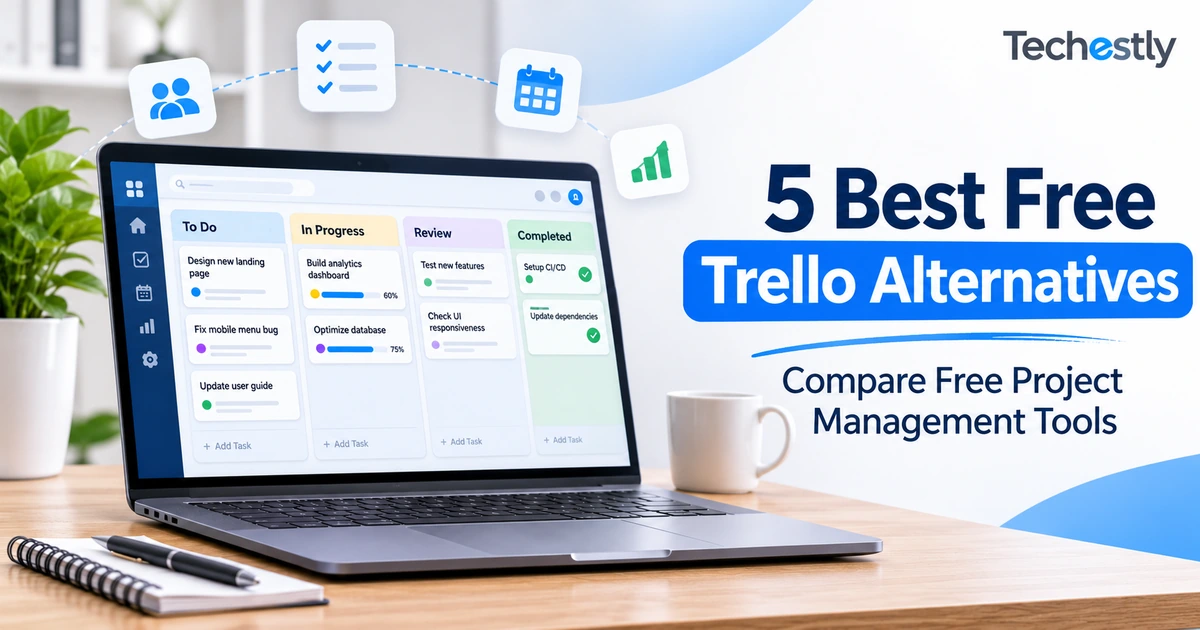
Trello is a popular tool for organizing projects with boards, lists, and cards. It works well for individuals and small teams, but its free plan may feel restrictive when you manage more projects, need additional views, or work with a larger team.
The good news is that several project management tools offer free plans with different features and limitations. The best free Trello alternatives depend on whether you need more team members, better task management, document collaboration, or a more structured project workflow.
In this guide, we compare five options: ClickUp, Asana, Notion, Jira, and Wrike. We also explain what each free plan includes and where its limitations may become a problem.
If you are comparing project management tools for the first time, you can also explore our guide to the best free project management tools for small teams.
Why Look for a Trello Alternative?
Trello’s Free plan is useful for getting started. According to its official plan information, it includes:
- Up to 10 open boards per Workspace.
- Up to 10 collaborators.
- Unlimited Power-Ups.
- A 10MB limit per attachment.
- 250 automation runs per month.
These limits may be enough for a freelancer or a small team managing a few projects. However, you may need another tool when your team grows or your workflow becomes more complicated.
For example, you might want to manage work through multiple project views, create detailed reports, organize internal documents, or give more people access to the same workspace.
You do not necessarily need to leave Trello just because another application has more features. Switching makes sense when a specific limitation is affecting your work.
Best Free Trello Alternatives Compared
The following table compares the free plans using the features and restrictions published by each provider.
| Software | Best for | Key free-plan limit |
|---|---|---|
| ClickUp | Larger teams and all-in-one project management | 60MB storage and 5 Spaces |
| Asana | Small teams of two people | 2 users |
| Notion | Combining tasks, notes, and databases | Limited blocks for 2+ members |
| Jira | Software development teams | 10 users and 2GB storage |
| Wrike | Structured project and task tracking | 1 shared Space and 200 active tasks |
Plan information checked on November 17, 2026. Limits and included features can change, so confirm the provider’s current pricing page before signing up.
1. ClickUp – Best Overall Free Trello Alternative
<text weight=”medium” color=”success” size=”sm”>Best for: Teams that need more members and flexible task management</text>
ClickUp is one of the strongest alternatives to Trello because it combines task management, project planning, documents, and collaboration in one workspace.
Instead of managing everything through a simple board, you can organize tasks using different views and create a more detailed workflow for your team.
Key Features
- Kanban boards for visual task management.
- List, Table, and Calendar views.
- Unlimited tasks and subtasks.
- Collaborative documents.
- Task assignments and team collaboration.
- Sprint management.
ClickUp Free Plan Limits
ClickUp’s Free Forever plan includes:
- Unlimited free members.
- Unlimited tasks and subtasks.
- 60MB of storage.
- Up to 5 Spaces.
- Kanban boards and Calendar view.
The unlimited member allowance is a major advantage over Trello’s 10-collaborator limit. However, the 60MB storage allowance is restrictive if your projects contain many images, videos, or large attachments.
Pros
- Supports unlimited free members and tasks.
- Includes more than just Kanban boards.
- Combines documents and project management.
- Suitable for teams managing several types of work.
Cons
- The interface can feel overwhelming for beginners.
- The 60MB storage limit is quite small.
- There are many features to learn before using the software comfortably.
Our Verdict
ClickUp is a strong choice for teams that have outgrown Trello’s free collaboration limit. Its free plan offers more flexibility, but its storage restriction is something to consider before moving all your projects.
You can also read our detailed ClickUp vs Trello Free Plan comparison to understand their differences.
Official website: ClickUp
2. Asana – Best for Small Teams
<text weight=”medium” color=”success” size=”sm”>Best for: Individuals and teams of two people</text>
Asana is a project management platform designed to help people organize tasks, manage deadlines, and keep projects moving.
It is a good option for users who want something more structured than a basic Kanban board without immediately moving to a complicated project management system.
Asana allows you to switch between different views of your projects. You can use a list to manage detailed tasks, a board to track progress, or a calendar to view deadlines.
Key Features
- List, Board, and Calendar views.
- Task assignments and due dates.
- Unlimited tasks and projects on the free plan.
- Project status updates.
- Integrations with other applications.
Asana Free Plan Limits
Asana’s Personal plan includes:
- Up to 2 users.
- Unlimited tasks and projects.
- List, Board, and Calendar views.
- Unlimited storage, with a 100MB maximum per file.
- More than 100 free integrations.
The most important restriction is the two-user limit. This makes the free plan suitable for an individual or a two-person team, but not a growing team with several members.
Pros
- Clean and organized interface.
- Multiple project views.
- Unlimited tasks and projects.
- Useful integrations.
Cons
- Only two users on the free plan.
- Larger teams need a paid subscription.
- Some advanced project management features are unavailable for free.
Our Verdict
Asana is worth considering when you want a more organized project management experience and do not need more than two users. It is not the best choice for teams that are already struggling with Trello’s collaborator limit.
Official website: Asana
3. Notion – Best for Notes, Tasks, and Project Management Together
<text weight=”medium” color=”success” size=”sm”>Best for: Individuals who want documents and task boards in one workspace</text>
Notion takes a different approach to project management. Instead of focusing only on tasks and boards, it combines notes, documents, databases, and project information in one workspace.
You can create a database for your tasks and display it as a Kanban-style board. For example, you could create columns named To Do, In Progress, and Completed, then move tasks between them as work progresses.
This makes Notion useful for people who want their project notes, task lists, and reference documents together.
Key Features
- Customizable databases.
- Board, Table, and Calendar database views.
- Notes and document pages.
- Task properties and filters.
- Subtasks and dependencies.
- Public page publishing.
Notion Free Plan Limits
The Free plan includes:
- $0 per member per month.
- Unlimited pages and blocks for an individual workspace.
- Limited blocks when 2 or more members collaborate.
- File uploads up to 5MB each.
- 7-day page history.
The collaboration restriction is important. Notion’s Free plan is primarily designed for individuals. When multiple workspace members collaborate, the block limit can become a reason to upgrade.
Pros
- Combines documents, notes, and task management.
- Flexible database and board layouts.
- Useful for organizing project information.
- Good for personal productivity.
Cons
- Takes time to build an organized workspace.
- Multi-member free workspaces have block restrictions.
- It is not as straightforward as Trello for basic Kanban-only workflows.
Our Verdict
Notion is a good alternative if you want more than a task board. It is particularly useful for keeping project documentation, meeting notes, and task databases together. However, check its collaboration limits before choosing it for a team.
Official website: Notion
4. Jira – Best for Software Development Teams
<text weight=”medium” color=”success” size=”sm”>Best for: Developers, IT teams, and Agile project management</text>
Jira is developed by Atlassian, the same company behind Trello. While Trello focuses on visual boards and straightforward task management, Jira provides more structured project and issue tracking.
Development teams can use it to track bugs, organize product work, manage backlogs, and follow sprint-based workflows.
Jira also offers different views for organizing projects, making it a useful option for teams that need more detailed tracking than a basic Kanban board.
Key Features
- Backlogs and Kanban boards.
- Scrum and sprint management.
- Task and issue tracking.
- Timeline and Calendar views.
- Project reports and dashboards.
- Workflow automation.
Jira Free Plan Limits
Jira’s Free plan includes:
- Up to 10 users.
- Unlimited goals, projects, tasks, and forms.
- Board, Timeline, Calendar, and other views.
- 150 automation steps per subscription per month.
- 2GB of storage.
These features make Jira useful for small development teams that need a structured way to manage technical work.
Pros
- Built for software and development workflows.
- Supports Scrum and Kanban.
- Includes project reports and dashboards.
- Free for teams of up to 10 users.
Cons
- Can feel complicated for beginners.
- The interface is more technical than Trello.
- May be unnecessary for simple marketing or administrative tasks.
Our Verdict
Jira is a strong choice for software development teams. However, small businesses that only need to assign daily tasks and track basic projects may find it more complicated than necessary.
Official website: Jira
5. Wrike – Best for Structured Project Tracking
<text weight=”medium” color=”success” size=”sm”>Best for: Teams that need structured tasks and multiple project views</text>
Wrike is another project management platform that offers folders, projects, tasks, and different ways to track work.
It is designed for people who want more structure than a simple task board. Teams can organize projects, create subtasks, discuss work through comments, and use different views to understand progress.
Wrike may be useful for agencies and small businesses that manage several types of work but do not necessarily need a complex development-focused platform.
Key Features
- Projects, folders, and tasks.
- Subtasks and task comments.
- Board, Table, and Chart views.
- File sharing.
- Task filtering.
- Mobile applications.
Wrike Free Plan Limits
Wrike’s Free plan includes:
- Access to one shared Space.
- A maximum of 200 active tasks and subtasks.
- Core project and task management features.
- Board, Table, and Chart views.
The 200-active-task limit is the most important restriction. Once you reach this limit, you need to complete, cancel, or delete existing active tasks before adding more.
Pros
- Multiple ways to view project information.
- Supports folders, projects, and subtasks.
- Includes task comments and file sharing.
- Useful for structured project tracking.
Cons
- Only one shared Space on the free plan.
- Limited to 200 active tasks and subtasks.
- May offer more structure than a simple workflow requires.
Our Verdict
Wrike is worth exploring if you want more structured project tracking and multiple views. However, the one-Space and 200-task limits should be considered before moving a large workflow into it.
Official website: Wrike
Which of the Best Free Trello Alternatives Is Right for You?
There is no single winner for every team. The right choice depends on the problems you are trying to solve.
| Your requirement | Recommended tool |
|---|---|
| More free team members and tasks | ClickUp |
| Simple project management for two people | Asana |
| Notes, documents, and task boards together | Notion |
| Software development and bug tracking | Jira |
| Structured project tracking | Wrike |
For most teams looking for a general Trello replacement, ClickUp is the first tool worth evaluating. It removes the free member limit and provides several useful ways to manage tasks.
However, if you only need a simple board and your team fits within Trello’s limits, there may be no reason to switch.
How to Switch from Trello Without Disrupting Your Work
Moving to another platform does not have to mean changing everything at once. A gradual transition gives your team time to understand the new software.
Follow these steps:
1. Review your current Trello Workspace
Make a list of the boards, collaborators, important cards, attachments, labels, and automations your team uses.
2. Choose two alternatives to test
Do not sign up for five different platforms at once. Select the two tools that best match your requirements and try their free plans.
3. Recreate one small project
Set up one sample project with a few task lists, deadlines, assignments, and attachments. This will help you understand whether the new platform fits your workflow.
4. Ask your team to try it
Let the people who will actually use the software work with the new board. Their feedback can help you identify confusing menus, missing features, or unnecessary complexity.
5. Move important projects gradually
Once you are comfortable with the new platform, move your active projects. Check the destination tool’s import options before manually recreating everything.
Keeping your old Trello Workspace available during the transition can help prevent confusion and lost information.
Frequently Asked Questions
What is the best free alternative to Trello?
ClickUp is a strong overall choice because its Free Forever plan supports unlimited members and tasks. However, it comes with a 60MB storage limit, so the best option depends on your requirements.
Which Trello alternative supports unlimited free team members?
ClickUp’s Free Forever plan includes unlimited free members. This makes it an option for teams that have exceeded Trello’s free collaborator limit.
Is Asana better than Trello?
Asana offers List, Board, and Calendar views with unlimited tasks and projects on its free plan. However, its free Personal plan supports only two users. Trello may be more suitable for a larger team that prefers simple visual boards.
Can Notion replace Trello?
Yes. Notion databases can be displayed as Kanban-style boards, allowing users to organize tasks by status, assignee, or other properties. It is especially useful when you also want to manage notes and documents in the same workspace.
Is Jira suitable for small businesses?
Jira can work for small businesses, particularly those managing software development, IT projects, and technical tasks. For general administrative work, a simpler tool may be easier to manage.
Should I leave Trello if its free plan is enough?
No. Switching software takes time and can interrupt your workflow. If Trello already meets your team’s needs, staying with it may be the better decision.
Final Thoughts
Trello remains a useful project management tool, especially for people who prefer simple visual boards. However, it is not the only option available.
ClickUp offers more room for team collaboration, Asana provides a straightforward experience for two-person teams, Notion combines documents with task boards, Jira is designed for development workflows, and Wrike offers structured project tracking.
Before switching, identify the limitation that is causing problems in your current workflow. Then test the free plan of one or two alternatives instead of choosing a platform simply because it has more features.
Our guide on how to choose business software can also help you evaluate a tool before making it part of your daily work.
Official Sources


5 Best Free Mailchimp Alternatives in 2026
7 Best Free Canva Alternatives in 2026