


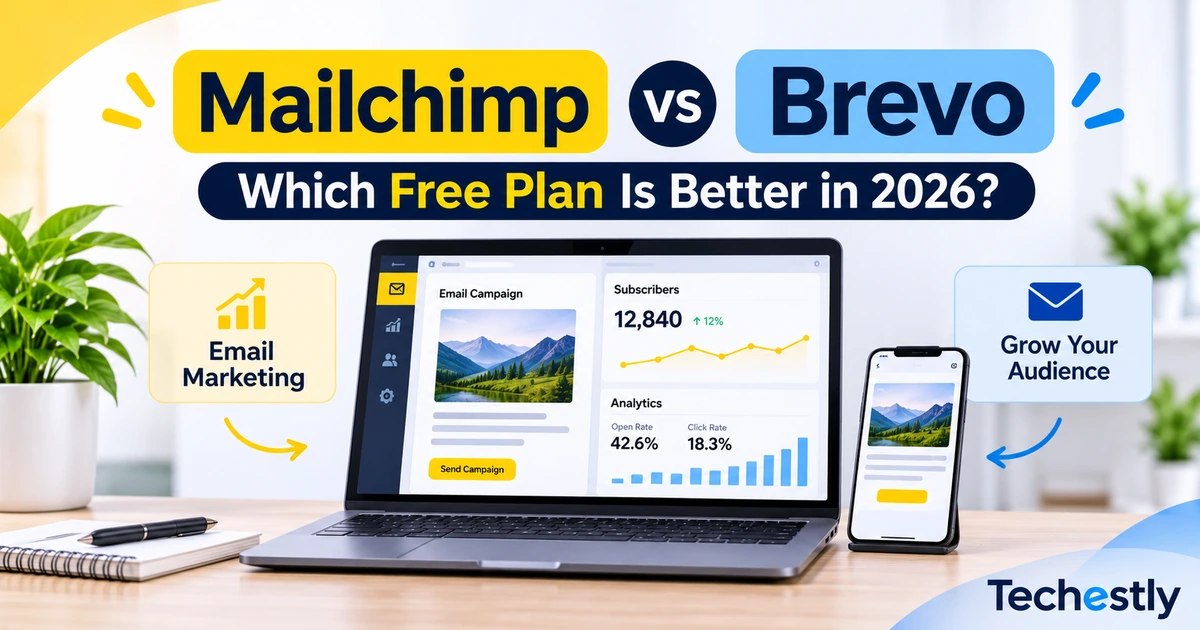
Choosing the right email marketing platform can be difficult when you are running a small business on a limited budget. Mailchimp and Brevo are two popular options, and both offer free plans for businesses that want to start building an email list and sending campaigns without paying a monthly subscription.
However, their free plans have very different limitations. Mailchimp allows up to 250 contacts and 500 email sends per month, while Brevo supports up to 100,000 stored contacts but limits sending to 300 emails per day.
In this Mailchimp vs Brevo free plan comparison, we will examine their contact limits, email sending allowances, automation features, and practical differences to help you choose the right platform.
The comparison is based on the providers’ published plan information, not independent hands-on testing. Plan details were checked on November 17, 2026.
Mailchimp vs Brevo Free Plan: Quick Comparison
| Feature | Mailchimp Free | Brevo Free |
|---|---|---|
| Monthly price | $0 | $0 |
| Contact limit | 250 contacts | 100,000 stored contacts |
| Email sending limit | 500 per month | 300 per day |
| Daily sending limit | 250 | 300 |
| User seats | 1 | 1 |
| Audience management | 1 audience | Contact lists and management |
| Email editor | Campaign email editor | Drag-and-drop editor |
| Email templates | Limited selection | Custom templates |
| Automation | Limited compared with paid plans | Up to 2,000 unique contacts in active automations |
| Reporting | Basic reporting | Basic reporting and analytics |
| Transactional emails | Not a core free-plan inclusion | Included |
| Branding | Free-plan feature restrictions apply | Brevo branding sticker included |
Both platforms provide useful tools at no monthly cost. The biggest difference is how they handle contact storage and email sending.
Mailchimp has a much smaller contact allowance, while Brevo provides significantly more storage but restricts the number of emails you can send each day.
1. Mailchimp Free Plan: Features and Limitations
Mailchimp is an email marketing platform that helps businesses create campaigns, manage subscribers, and review basic campaign reports.
Its Free plan is designed for beginners who want to explore email marketing before moving to a paid subscription.
What Does Mailchimp Free Include?
According to Mailchimp’s published plan information, the Free plan includes:
- Up to 250 contacts
- 500 email sends per month
- A maximum of 250 email sends per day
- One audience
- One user seat
- A limited selection of email templates
- Basic reporting
- Access to forms and landing page tools
The monthly sending limit is separate from the contact limit. Each email sent to an individual recipient counts toward your sending allowance.
For example, sending a newsletter to 200 contacts uses 200 email sends. Sending another newsletter to the same 200 contacts uses another 200 sends.
That means you could send two campaigns to 200 contacts within the 500-send monthly allowance, provided you do not exceed the other limits.
Mailchimp Free Plan Limitations
The biggest limitation is the 250-contact restriction. A business that starts collecting more subscribers may quickly outgrow the Free plan.
The 500 monthly sending allowance also makes frequent newsletters difficult. Even with a small contact list, sending several campaigns every week can exhaust your allowance.
You also get only one audience and one user seat. Businesses that need multiple team members or more advanced marketing features may eventually need a paid subscription.
For the latest restrictions and included features, check Mailchimp’s official pricing plan documentation.
Best for: Beginners with a small subscriber list who send occasional newsletters and want to learn basic email marketing.
You can also read our guide on how to send your first email campaign in Mailchimp for a step-by-step walkthrough.
2. Brevo Free Plan: Features and Limitations
Brevo is an email and customer communication platform that provides email campaigns, contact management, transactional emails, and marketing automation.
Unlike Mailchimp, Brevo allows users to store a much larger contact list on its Free plan. However, the number of emails you can send each day is restricted.
What Does Brevo Free Include?
Brevo’s published Free plan features include:
- Up to 100,000 stored contacts
- 300 email sends per day
- One user seat
- Email campaigns
- Drag-and-drop email editor
- Custom email templates
- Reusable email sections
- Basic reporting and analytics
- Transactional email features
- Marketing automation for up to 2,000 unique contacts
- Free sales features
The daily sending allowance resets every day. Unused email sends do not roll over to the next day.
One important restriction applies to larger campaigns. You can include more than 300 recipients in a campaign, but only 300 will receive the email on the scheduled day. You must use Brevo’s requeue option on later days to send to the remaining recipients, subject to the daily allowance.
For example, if you have 1,000 subscribers, you cannot deliver one campaign to all 1,000 on the same day using the Free plan.
Brevo Free Plan Limitations
Brevo’s large contact-storage allowance is useful, but it does not mean you can email all those contacts whenever you want.
The 300-email daily limit can become restrictive when your subscriber list grows. You may need several days to deliver a campaign to a larger audience.
Brevo also adds its branding sticker to emails sent on the Free plan. Only one user seat is included, and advanced features such as email A/B testing and landing pages are not included.
You can check the official Brevo Free plan limits and Brevo pricing details.
Best for: Small businesses that want to store a larger contact list, send regular campaigns within the daily allowance, and use basic automation.
3. Mailchimp vs Brevo Free Plan: Email Sending Limits
Email sending limits are one of the most important differences between these two platforms.
Mailchimp provides 500 email sends per month, with a maximum of 250 per day. Brevo provides 300 email sends per day, and its unused daily allowance does not carry forward.
Let’s look at a few practical examples.
Scenario 1: You Have 200 Subscribers
Suppose you run a small business and want to send one newsletter every week to 200 subscribers.
With Mailchimp, each campaign uses 200 sends. Four weekly campaigns would require 800 sends, which is more than the 500-send monthly allowance.
With Brevo, you can send one campaign to all 200 subscribers on a single day because the daily limit is 300.
Scenario 2: You Have 1,000 Subscribers
Mailchimp’s Free plan is not suitable for this list size because its contact limit is 250.
Brevo can store all 1,000 contacts, but its daily sending allowance means you cannot deliver a campaign to everyone on the same day. You would need to send the remaining recipients in batches after the daily limit resets.
Scenario 3: You Send Occasional Updates
Suppose you have fewer than 250 subscribers and send only one or two newsletters each month.
Mailchimp may be enough for your needs. You may not need Brevo’s larger contact-storage allowance if your list is still small.
Winner: Brevo
Brevo offers more flexible sending capacity for businesses with larger contact lists, provided they can work within the 300-email daily limit.
4. Mailchimp vs Brevo Free Plan: Automation and Marketing Features
Both platforms provide more than simple email sending, but their free-plan features are not identical.
Mailchimp
Mailchimp provides an email campaign editor, basic reporting, one audience, forms, and access to a limited selection of templates.
Its Free plan has fewer marketing capabilities than its paid subscriptions. Businesses that need more advanced campaign workflows or additional features should review the current paid-plan comparison before making a decision.
Brevo
Brevo includes a drag-and-drop email editor, custom templates, reusable sections, basic analytics, and transactional email capabilities.
Its Free plan also supports marketing automation for up to 2,000 unique contacts entering active automations. This can be helpful for basic automated communication, although the contact limit still applies.
Brevo’s Free plan does not include every advanced feature. For example, email A/B testing and landing pages are listed among the unavailable features.
Winner: Brevo
Brevo offers a more clearly defined free automation allowance and includes transactional email features. Mailchimp remains useful for straightforward email campaigns.
5. Contact Management and Ease of Use
Managing contacts is another important part of choosing an email marketing platform.
Mailchimp uses an audience-based structure. Its Free plan includes one audience and a maximum of 250 contacts. This can work for a small business with a single subscriber list, but it becomes restrictive as the list grows.
Brevo offers contact storage for up to 100,000 contacts on its Free plan. You can organize contacts using its contact-management features, but you still need to consider the daily email sending restriction.
Both services provide email campaign editors and tools for managing subscribers. The better interface depends on your preferred workflow, so businesses should explore both platforms before committing.
Winner: Brevo for contact storage. Mailchimp can still be sufficient for a small, single-audience newsletter.
6. Which Platform Is Better for a Small Business?
The right choice depends on your subscriber count, campaign frequency, and the features you need.
Choose Mailchimp Free If:
- Your contact list has fewer than 250 contacts.
- You send occasional email campaigns.
- You need one simple audience.
- You want basic email marketing tools without a monthly subscription.
Choose Brevo Free If:
- You want to store more than 250 contacts.
- You send campaigns within the 300-email daily limit.
- You need access to its free automation allowance.
- You also need transactional email features.
For a growing subscriber list, Brevo has a clear advantage in contact storage. However, if your business needs to email thousands of subscribers on the same day, the Free plan may not be sufficient.
Before choosing either platform, estimate how many emails you expect to send each month and how quickly your subscriber list may grow.
7. Mailchimp vs Brevo Free Plan: Final Verdict
The Mailchimp vs Brevo free plan comparison shows that both tools can be useful, but they serve different needs.
Brevo is the stronger choice for businesses that want to store a larger contact list, use basic automation, and send up to 300 emails per day without a monthly subscription.
Mailchimp is a reasonable option for beginners who have fewer than 250 contacts and only need to send occasional campaigns. Its smaller contact allowance and 500 monthly sends make it less suitable for businesses expecting rapid list growth.
Our recommendation: Start with Brevo if contact growth and daily sending flexibility are your priorities. Choose Mailchimp if your subscriber list is small and its basic features already meet your requirements.
If neither platform fits your needs, explore our guide to the best free Mailchimp alternatives for more options.
You can also read our guide on how to choose business software before selecting a tool for your business.
Plan limits and features can change. Always confirm the latest details on the providers’ official websites before choosing a platform.

Other Articles

Asana vs ClickUp Free Plan: Which Is Better in 2026?
5 Best Free Notion Alternatives in 2026